Cameras & Motion SensorsHome Security Camera Privacy in 2026: How to Protect Your Home Without Oversharing
 Abode April 30, 2026
 Security cameras should make a home feel safer, not watched. The best setup in 2026 is not “put a camera everywhere.” It is choosing the right camera locations, limiting what gets recorded, and giving the right people the right access.
This guide walks through a privacy-first camera setup for doors, porches, side gates, garages, and shared homes. It is written for buyers comparing Abode, Ring, Arlo, SimpliSafe, Google Nest, and other camera systems.
Quick answer: what makes a security camera privacy-friendly?
A privacy-friendly security camera setup has five basics: clear camera placement, privacy zones, sensible indoor schedules, controlled user access, and storage you understand. If a system cannot explain who can see clips, how long clips are stored, and what happens when a paid plan ends, keep digging.
1. Put cameras where they answer a real security question
Start with the areas that matter most: front door, back door, driveway, porch, garage, side gate, shed, and main hallway. Avoid filming bedrooms, bathrooms, neighbors’ windows, or shared spaces where people expect privacy.
For most homes, one outdoor camera plus door/window sensors gives better coverage than three indoor cameras. Pair a camera with entry sensors so you know when a door opens and can use video only when it adds context.
2. Use privacy zones before you turn on alerts
Privacy zones tell a camera what not to watch. Use them to block public sidewalks, a neighbor’s driveway, shared apartment corridors, and windows across the street. Then set motion zones only around the approach path you care about.
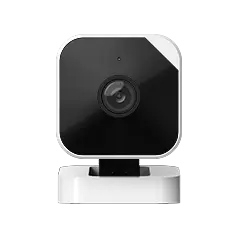
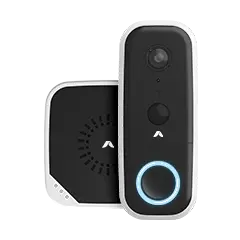
If you use the Abode Cam 2, test zones during the day and at night. Night vision, porch lights, passing cars, and rain can all change how motion alerts behave.
3. Be careful with indoor cameras
Indoor cameras are useful for entryways, garages, nurseries, pets, and second homes. They are also where privacy mistakes happen fastest.
- Do not point cameras at couches, beds, desks, or bathrooms.
- Use schedules so indoor cameras stop recording when people are home.
- Turn off audio unless you have a clear reason to use it.
- Review who has clip access every month.
- Remove guest users as soon as they no longer need access.
Abode’s biggest advantage here is that cameras, sensors, arming modes, and automations can work together. You can build routines around the Smart Security Kit instead of leaving cameras active all day.
4. Separate camera access from alarm access
Not everyone who can arm the alarm needs camera access. A dog walker might need a temporary code. A family member might need door alerts. A neighbor might need emergency contact status. None of those automatically require live video or saved clips.
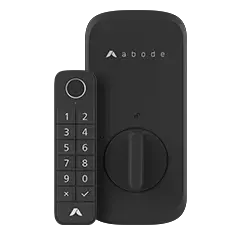
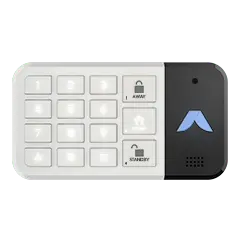
Review shared users in your security app. Look for role controls, temporary access, clip sharing, and account recovery. If you use a keypad, pair app access with physical controls like the Keypad 2 so visitors do not need full app permissions.
5. Know what your plan stores
Camera privacy is not only about where the camera points. It is also about what happens after recording.
- How long are clips stored?
- Can you delete clips easily?
- Are previews or full clips available without a paid plan?
- Does the plan charge per camera or per home?
- Can you export a clip for police or insurance without changing settings?
Compare Abode’s plan options on the monitoring plans page. Self-monitoring may be enough for simple camera alerts. Professional monitoring makes more sense when the same system also protects doors, windows, motion, glass break, water leaks, and smoke/CO events.
6. Use sensors to reduce camera noise
A camera should not be your only signal. Sensors are often more private and more reliable for basic events.
Use cameras for verification, not constant surveillance. That keeps alerts useful and reduces the amount of video your home produces.
Best camera privacy setup by home type
| Home type | Camera setup | Privacy priority |
|---|
| Apartment | Doorway or indoor entry camera, if allowed | Avoid shared hallway recording |
| Detached house | Porch, driveway, side gate, garage | Use zones for neighbors and sidewalks |
| Rental | No-drill camera mounts and removable sensors | Limit shared app access |
| Family home | Outdoor cameras plus sensors indoors | Use indoor schedules and audio limits |
| Second home | Entry, garage, water areas, main hallway | Review clip storage and emergency access |
Bottom line
The best home security camera setup is selective. Put cameras where they answer real security questions, use privacy zones, keep indoor recording limited, and give each user only the access they need.
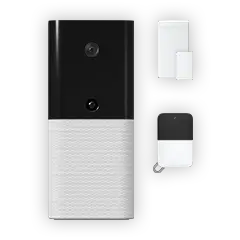
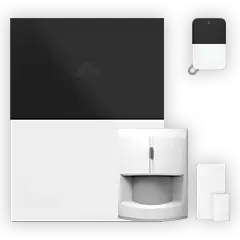
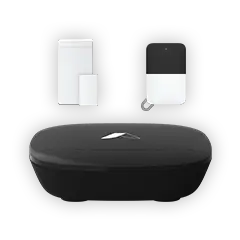
If you want cameras, sensors, automations, and optional monitoring in one setup, start with the Smart Security Kit or Iota All-In-One Security Kit, then add the Abode Cam 2 where video actually helps.
FAQ
Are indoor security cameras a privacy risk?
They can be if they are always on, pointed at private rooms, or shared with too many users. Use schedules, zones, audio controls, and limited access.
Should I use cameras or sensors first?
Use sensors first for doors, windows, motion, glass break, and leaks. Add cameras where visual verification helps.
Do privacy zones stop all recording?
They reduce what the camera watches and alerts on, but implementation varies by camera. Test zones after setup and check saved clips.
Is cloud storage bad for privacy?
Not automatically. The key questions are retention, deletion, sharing, account security, and whether storage rules are clear.
Can renters use security cameras?
Usually yes, but avoid drilling, filming shared spaces, or pointing cameras at neighbors. Check lease rules and local laws.

 June 12, 2026 Side Door Security 2026: Smart Locks, Sensors, Cameras, and Entry Routines
  Abode Side doors are easy to treat as secondary, but many homes use them every day. They connect garages, mudrooms, laundry rooms, side yards, service paths, and basement stairs. That makes...
