All ArticlesHome Security Camera Placement Guide 2026: Where to Put Cameras for Maximum Coverage (and 5 Spots Most People Miss)
 Abode April 02, 2026
 Why Camera Placement Matters More Than Camera Quality
A $300 camera pointed at a fence does less than a $35 camera covering your front door. Research from the University of North Carolina found that 34% of burglars enter through the front door and another 23% through first-floor windows. Yet most homeowners mount their first camera wherever the power outlet is — not where break-ins actually happen.
This guide covers where to place cameras for maximum coverage, common mistakes that create blind spots, and how many cameras you actually need based on your home size.
The 7 Camera Positions That Cover 90% of Break-In Entry Points
| # | Location | Why It Matters | Camera Type | Indoor/Outdoor |
|---|
| 1 | Front door | 34% of break-ins use the front door | Doorbell camera or mounted cam | Outdoor |
| 2 | Back door / sliding glass | 22% of entries through rear | Outdoor camera, wide angle | Outdoor |
| 3 | Side gate / side yard | Common access path, often unwatched | Outdoor camera with night vision | Outdoor |
| 4 | Garage (interior or exterior) | 9% of entries through garage | Indoor or outdoor depending on setup | Either |
| 5 | Driveway | Vehicle detection, arrival alerts | Outdoor with vehicle detection | Outdoor |
| 6 | Main hallway / staircase | Captures movement between rooms | Indoor camera | Indoor |
| 7 | Living room (high-value area) | Electronics, valuables visible | Indoor camera | Indoor |
5 Spots Most People Miss
1. The Side Yard
The most common blind spot. Burglars use side yards to reach back windows and doors without being seen from the street. A camera mounted at 8-9 feet on the side of your house, angled down the fence line, covers this gap.
2. Above the Garage Door (Exterior)
Garage doors are the largest opening in most homes. A camera above the garage captures both vehicle activity and anyone approaching from the driveway. If your garage connects to the house, this is a high-priority spot.
3. The Backyard Fence Line
Most back door cameras point at the patio — but burglars hop the fence 15-20 feet away. Position a camera to cover the full fence line, not just the door. Wide-angle cameras (130°+) work best here.
4. Second-Floor Windows Accessible From Roofs or Trees
Less common but not rare: burglars use flat garage roofs, adjacent trees, or balcony railings to reach second-floor windows. If any upper window is accessible from a climbable surface, add a camera or sensor.
5. The Mudroom / Laundry Room Entry
Side entries through mudrooms are often left unlocked. An indoor camera or door sensor on this entry point catches what front-door cameras miss.
How Many Cameras Do You Need?
| Home Size | Entry Points (Typical) | Recommended Cameras | Estimated Cost (Abode Cam 2) |
|---|
| Apartment / condo | 1-2 doors | 1-2 | $35-70 |
| Small house (under 1,500 sq ft) | 2-3 doors, 4-6 windows | 2-3 | $70-105 |
| Medium house (1,500-2,500 sq ft) | 3-4 doors, 8-12 windows | 3-5 | $105-175 |
| Large house (2,500+ sq ft) | 4-6 doors, 12+ windows | 5-8 | $175-280 |
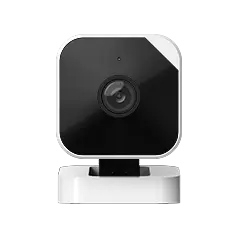
The Abode Cam 2 at $35 per camera is one of the most cost-effective options. For a 3-camera outdoor setup, you are spending $105 total — less than a single Ring Floodlight Cam ($200).
Camera Height and Angle: The Technical Details
| Setting | Recommended Height | Angle | Why |
|---|
| Front door (doorbell) | 48 inches (4 ft) | Straight ahead | Face-level for identification |
| Exterior mounted | 8-10 feet | 15-30° downward | Hard to tamper, covers wide area |
| Indoor hallway | 7-8 feet (ceiling/shelf) | Slight downward | Covers full hallway length |
| Garage interior | 8-9 feet | Toward entry door | Catches anyone entering from garage |
Mount outdoor cameras under eaves when possible — it protects the lens from rain and direct sun glare. Cameras facing east or west get washed out during sunrise/sunset; north-facing cameras have the most consistent image quality.
Cameras vs Sensors: Which Covers What
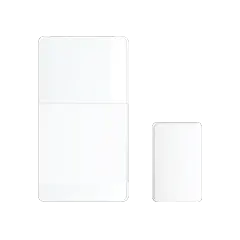
Cameras are not the only option. For windows and interior doors, sensors are cheaper, more reliable, and do not raise privacy concerns.
| Coverage Need | Best Solution | Cost (Abode) | Why |
|---|
| Front door | Camera + door sensor | $35 + $15 | Camera for ID, sensor for instant alert |
| Windows | Door/window sensor | $15 each | Cheaper and more reliable than pointing cameras at every window |
| Back door | Camera + door sensor | $35 + $15 | Same as front door logic |
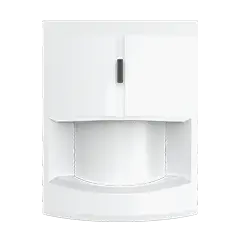
| Hallway | Motion sensor | $30 | Cheaper than indoor camera, catches all movement |
| Side yard | Camera | $35 | No door/window to put a sensor on |
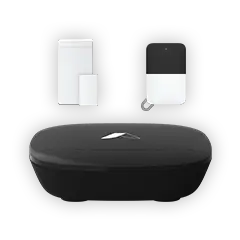
A complete setup combines 3-4 cameras for outdoor coverage with 6-10 mini sensors on every door and window. Total cost with Abode Smart Security Kit: around $300-450 for a medium home.
Common Mistakes That Create Blind Spots
- Pointing cameras too high — mounting at 15 feet with a steep downward angle makes faces unidentifiable. Keep outdoor cameras at 8-10 feet.
- Ignoring night vision range — most budget cameras have 25-30ft IR range. If your driveway is 40 feet, you need a camera with 50ft+ range or add a motion-activated light.
- Covering the same area twice — two cameras watching the front porch while the side yard has zero coverage. Map your entry points first, then assign cameras.
- WiFi dead zones — outdoor cameras far from the router drop frames or go offline. Test signal strength before mounting. Abode Cam 2 works on 2.4GHz which has better range than 5GHz.
- No indoor fallback — if someone defeats or avoids outdoor cameras, a hallway camera or motion sensor catches them inside.
How Abode Cameras Work With the Alarm System
Unlike standalone cameras (Ring, Wyze, Arlo), the Abode Cam 2 connects directly to the Abode hub. This means:
- Automatic recording on alarm trigger — when a sensor trips, cameras start recording without manual action
- Mode-based alerts — cameras only send motion alerts when the system is armed (no notifications while you are home)
- CUE automations — set cameras to record only during specific hours, when geofencing detects you have left, or when a specific sensor triggers
- Single app — cameras, sensors, locks, and alarm status all in one place
This integration is why a $35 Abode camera paired with the alarm system outperforms a $200 standalone camera that has no connection to your door sensors or motion detectors.
FAQ
Do I need cameras if I already have door and window sensors?
Sensors tell you a door opened. Cameras tell you who opened it. For the front door and back door, having both gives you the complete picture — instant sensor alerts plus video evidence. For interior rooms and windows, sensors alone are usually enough.
Should I get wired or wireless cameras?
For most homeowners, wireless (WiFi) cameras like the Abode Cam 2 are the right choice. They are easier to install, do not require running ethernet, and work anywhere with WiFi signal. Wired cameras (PoE) are better for large properties with 8+ cameras where WiFi reliability becomes an issue.
How do I prevent camera tampering?
Mount at 8-10 feet (out of arm’s reach), use cameras with tamper alerts, and pair with motion sensors as a backup. If someone covers or knocks down a camera, the sensors still trigger the alarm. That is why cameras plus an alarm system beats cameras alone.
Do cameras deter burglars?
Yes — the UNC study found that 60% of convicted burglars said visible cameras would cause them to choose a different target. But cameras deter more effectively when combined with visible alarm signage and actual sensors. A camera alone records the crime; a camera plus an alarm system prevents it.
What is the best budget camera setup for a 3-bedroom house?
Three Abode Cam 2 cameras ($105 total): one at front door, one at back door, one covering the side yard. Add 6 mini sensors ($90) on ground-floor windows and doors. Total: $195 in hardware. With Connect plan ($6/month) for cloud clips, your first year cost is $267 — less than a single Arlo Pro 5 camera.
Front Door Camera Placement for Wireless Doorbells
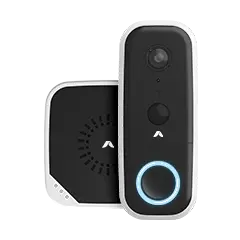
For wireless doorbell camera searches, placement matters as much as the camera itself. A front-door camera should capture faces, packages, and the approach path without pointing mostly at the street or sky.
- Use the door approach as the main frame: aim for the walkway, porch, and handoff area where visitors naturally pause.
- Check glare before final mounting: test morning and afternoon light so faces are visible instead of backlit.
- Pair camera choice with monitoring preference: compare a wireless video doorbell with the broader doorbell camera without subscription guide before deciding.

 April 03, 2026 SimpliSafe vs Abode 2026: We Compared Plans, Pricing, Smart Home, and 3-Year Costs — One System Saves You $504
  Abode SimpliSafe and Abode are the two most popular DIY home security systems in 2026. Both skip long-term contracts, both install in under an hour, and both offer professional monitoring....