All ArticlesBest Self-Monitored Security Systems in 2026: Complete Guide to Protecting Your Home Without Monthly Fees
 Abode March 17, 2026
 Self-monitored security systems let you protect your home without paying $20-$50/month for professional monitoring. You get real-time alerts on your phone, live camera feeds, and full control — all without a contract or ongoing fees.
In 2026, self-monitoring has gotten genuinely good. Faster push notifications, smarter AI detection, and better app experiences mean most homeowners don’t actually need a monitoring center watching their feeds. Here’s how to choose the right system.
What Is Self-Monitored Security?
Self-monitored means you are the monitoring center. When a sensor triggers or a camera detects motion, you get a push notification on your phone. You decide what to do — call 911, check your camera feed, or dismiss the alert.
The key difference from professional monitoring:
- Professional monitoring: A call center watches your system 24/7 and dispatches police/fire if needed. Costs $15-$50/month.
- Self-monitoring: You handle all alerts yourself. Free or very low cost. You’re in complete control but also fully responsible.
Top 5 Self-Monitored Security Systems for 2026
1. Abode — Best Overall Self-Monitored System
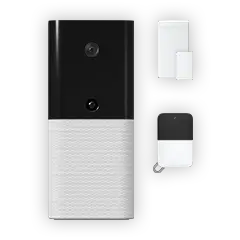
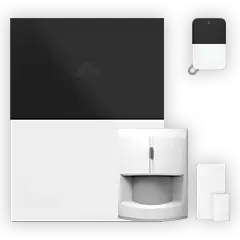
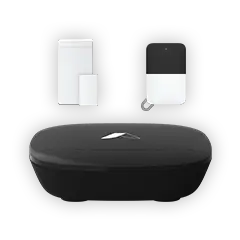
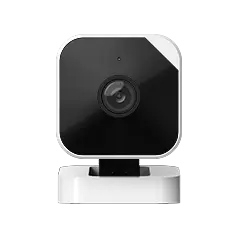
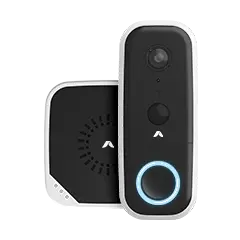
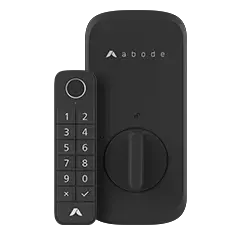
Abode’s Smart Security Kit ($199) is purpose-built for self-monitoring. The free plan includes:
- Real-time push notifications for all sensors
- Live camera viewing via the Abode app
- Arm/disarm from your phone, Apple Watch, or voice
- Full Apple HomeKit integration — the only security system with native HomeKit support
- Alexa and Google Home compatibility
- Z-Wave and Zigbee device support for smart home expansion
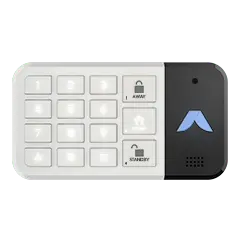
Why Abode wins: It’s the only system that gives you a full alarm experience (sensors, siren, keypad) with zero monthly cost. The free self-monitoring plan has no feature restrictions — you get the same app, the same automations, and the same device support as paid plans. If you ever want professional monitoring, Abode’s plans start at just $6/month.
2. SimpliSafe — Best for Simple Setup
SimpliSafe offers a free self-monitoring tier with its hardware. Push notifications work without a subscription, but you lose video recording and some smart home features. Hardware starts around $250 for a basic kit.
Limitation: No HomeKit support. Limited smart home integrations on the free plan. Camera features require the $9.99/month plan minimum.
3. Ring Alarm — Best for Alexa Homes
Ring’s alarm system technically works for self-monitoring, but the experience is heavily degraded without Ring Protect ($20/month). You can’t view recorded clips, and smart home features are limited. Best suited for homes already deep in the Amazon/Alexa ecosystem.
Limitation: Ring has moved aggressively toward requiring subscriptions. Self-monitoring alone feels incomplete.
4. Wyze — Best Budget Camera Setup
Wyze cameras are incredibly affordable ($20-$50) and include some free cloud storage. However, Wyze is cameras only — no door/window sensors, no alarm siren, no keypad. It’s supplemental security, not a full system.
Limitation: No alarm system. No professional monitoring option for intrusion. Cameras record but don’t prevent or respond.
5. eufy — Best for Local Storage
eufy cameras store footage locally on a HomeBase hub with no subscription required. Great camera quality (up to 4K) but, like Wyze, it’s cameras only with no alarm system component.
Limitation: No sensors, keypads, or siren. Not a security system — it’s a camera system.
Self-Monitored System Comparison
| System | Entry Price | Monthly Cost | Alarm System | Cameras | HomeKit | Smart Home |
|---|
| Abode | $199 | $0 (free plan) | Yes Full | Yes Cam 2 | Yes | HomeKit, Alexa, Google, Z-Wave, Zigbee |
| SimpliSafe | ~$250 | $0 (limited) | Yes | Yes (paid plan) | No | Alexa, Google (limited) |
| Ring | ~$200 | $0 (very limited) | Yes | Yes (paid plan) | No | Alexa only |
| Wyze | ~$30 | $0-$3 | No | Yes | No | Alexa, Google |
| eufy | ~$120 | $0 | No | Yes | Some models | Alexa, Google, HomeKit (some) |
How to Get the Most From Self-Monitoring
- Enable all notifications: Make sure push alerts are on and not silenced by Do Not Disturb schedules
- Set up automation: Use Abode CUE automations to automatically arm when you leave and disarm when you arrive
- Add cameras to entry points: A camera at the front door lets you visually verify alerts before calling 911
- Share access: Add family members to your app so multiple people can respond to alerts
- Consider hybrid monitoring: Abode lets you self-monitor most of the time and activate professional monitoring only when traveling ($6/month Connect plan)
When You Should Upgrade to Professional Monitoring
Self-monitoring works great for most situations, but consider upgrading if:
- You travel frequently and can’t always respond to alerts
- You want fire/CO monitoring with automatic dispatch
- Your insurance company offers a discount for monitored systems
- You want verified alarm response (reduces false dispatch issues)
Abode makes this easy — you can switch between self-monitoring and professional monitoring anytime with no contract. The Connect plan ($6/month) adds cellular backup, and Connect+ ($20/month) adds full professional monitoring.
FAQs
Is self-monitored home security effective?
Yes. Studies show the presence of any security system — monitored or not — deters break-ins. The loud siren, visible sensors, and yard signs are the primary deterrents. Self-monitoring adds real-time awareness so you can call authorities yourself.
What’s the best self-monitored system with no monthly fees?
Abode’s Smart Security Kit offers the most complete free self-monitoring experience: full alarm system with sensors, siren, keypad, camera support, and HomeKit/Alexa/Google integration — all at $0/month.
Can I add professional monitoring later?
With Abode, yes — you can upgrade to professional monitoring anytime starting at $6/month. No contract required. Most competitors also offer upgrades but may require longer commitments or higher monthly costs.
Do self-monitored systems work without internet?
Most require WiFi for push notifications and camera feeds. Abode’s Connect plan ($6/month) adds cellular backup so your system stays connected even if WiFi goes down. The local siren always works regardless of connectivity.
Will my insurance give a discount for self-monitored security?
Some insurers offer discounts (typically 5-15%) for any security system. Professional monitoring usually qualifies for larger discounts (up to 20%). Check with your specific insurer — many now accept self-monitored systems, especially those with cellular backup.




 Abode Self-monitored security systems let you protect your home without paying $20-$50/month for professional monitoring. You get real-time alerts on your phone, live camera feeds, and full...