Apartment Security System 2026: The Complete Renter’s Guide to Protecting Your Space Without Drilling, Contracts, or Landlord Drama
 Abode March 20, 2026
 Last Updated: March 2026
Renting an apartment comes with one major security constraint: you can not drill holes, run wires, or make permanent modifications. That rules out traditional alarm systems and most professional installations. But it does not mean you are stuck without protection.
Modern wireless security systems are built for renters. No drilling, no wiring, no contracts — and they move with you when your lease ends. This guide covers what works, what does not, and how to set up real security in an apartment for under $300.
What Renters Actually Need (And Do Not Need)
| Need It | Skip It |
|---|
| Wireless door/window sensors (adhesive mount) | Hardwired sensors that require drilling |
| Compact hub that plugs into a standard outlet | Large panels that screw into walls |
| Battery-powered or USB-powered cameras | PoE cameras requiring cable runs |
| Cellular backup for monitoring | Landline connections |
| No-contract monitoring (month-to-month) | 3-5 year contracts tied to an address |
| App-based self-monitoring | Systems that require paid plans to function |
| Portable system that moves with you | Professionally installed equipment you cannot take |
Best Apartment Security Systems Compared
| System | Equipment Cost | Monthly Fee | Contract | Self-Monitoring | HomeKit | Best For |
|---|
| Abode | $199-$399 | $0-$20 | None | ✅ Free | ✅ | Smart home users, Apple households |
| Ring Alarm | $199-$329 | $0-$20 | None | ✅ Free | ❌ | Alexa users, camera-heavy setups |
| SimpliSafe | $199-$509 | $0-$30 | None | ✅ Free | ❌ | Simplest setup, minimal tech knowledge |
| Cove | $0-$280 | $18-$28 | None | ❌ | ❌ | Budget buyers who want pro monitoring |
Why Abode Is Built for Apartments
Every major DIY system works in apartments, but Abode has specific advantages for renters:
1. Zero Drilling Required
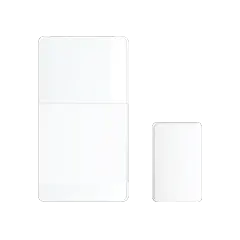
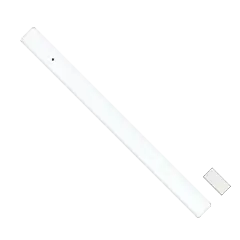
Every Abode sensor uses 3M adhesive strips — peel, stick, done. The Mini Door/Window Sensors are small enough to be nearly invisible on door frames and window sills. When you move out, peel them off without leaving marks or damaging surfaces.
2. Compact Hub
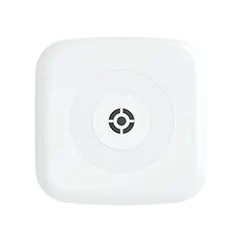
The Abode Security Hub is about the size of a small router. It plugs into a wall outlet and connects via Wi-Fi with cellular backup. No wall-mounted panel, no visible equipment screaming “alarm system” to your landlord.
3. No Contract, No Commitment
Abode offers three tiers — all month-to-month:
- Free: Self-monitoring with push alerts, arm/disarm via app, basic automations
- Connect ($6/mo): Adds timeline, extended device history, CUE automations, and optional professional monitoring
- Connect+ ($20/mo): Full professional monitoring, cellular backup, camera recording, and premium support
Pay for monitoring only when you want it. Going on vacation? Turn on pro monitoring for that month. Home all summer? Drop to the free tier. No penalties, no calls to cancel.
4. Apple HomeKit Integration
Abode is the only major security system with native Apple HomeKit support. If you use an iPhone, iPad, or Apple Watch:
- Arm and disarm from the Home app or your Apple Watch
- Use Siri: “Hey Siri, I am leaving” to arm the system
- Build HomeKit automations — lock the door, turn off lights, and arm Abode simultaneously
- Get sensor alerts through Apple Home notifications
Ring and SimpliSafe do not support HomeKit. If you are an Apple user, this alone makes Abode the pick.
5. Moves With You in 15 Minutes
When your lease ends:
- Peel sensors off doors and windows
- Unplug the hub
- Pack everything in a box
- Re-stick sensors at your new place
- The system reconnects automatically — no reinstallation, no service calls
Recommended Apartment Setup
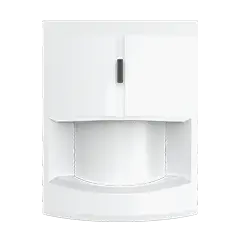
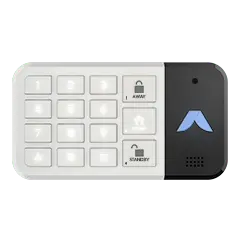
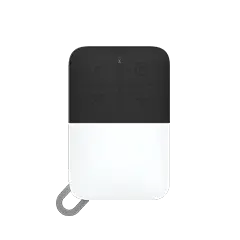
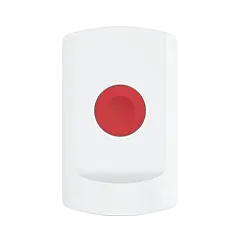
A typical one-bedroom apartment needs less equipment than you think:
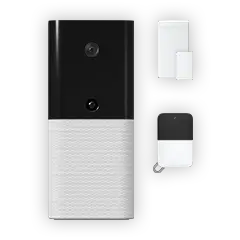
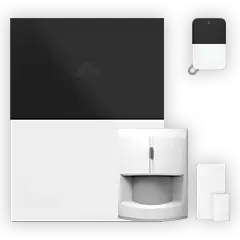
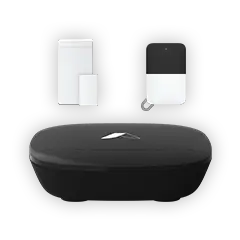
For a studio or small one-bedroom, you can start with just the Security Kit ($199) and add sensors as needed.
Apartment Security Tips Beyond the Alarm
- Reinforce the front door: A door reinforcement plate (like Door Armor) costs $50-$80 and does not require landlord permission — it screws into existing holes
- Sliding door bar: A $15 adjustable bar in the track prevents forced entry
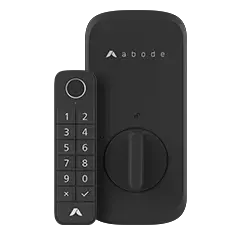
- Smart lock: The Abode Lock replaces your deadbolt (keep the original to reinstall when you leave) and integrates directly with the security system
- Window film: Security film makes glass harder to break without being visible
- Set up geofencing: Abode can auto-arm when you leave and disarm when you arrive — no forgetting to set the alarm
What About Your Landlord?
Most landlords are fine with wireless security systems because:
- No holes drilled, no permanent modifications
- All equipment removes cleanly with no surface damage
- Some landlords prefer tenants who invest in security (lower risk of break-ins and claims)
- If asked, show that everything uses 3M adhesive and the hub plugs into a standard outlet
Check your lease for any clauses about “security systems” or “modifications.” In most cases, wireless DIY systems do not trigger these clauses since they are temporary and removable.
Apartment Security FAQ
Do I need a security system in an apartment?
Apartments on ground and second floors are the most common targets for break-ins. Upper floors are safer but not immune. A basic system with door sensors and a motion detector costs under $250 and provides real protection plus the deterrent of an alarm siren.
Will my landlord let me install a security system?
Wireless systems like Abode require no drilling or permanent changes. Most landlords have no issue with adhesive-mounted sensors and a plug-in hub. When in doubt, show your landlord the equipment — it removes without a trace.
What is the cheapest apartment security option?
The Abode Security Kit at $199 with free self-monitoring is one of the lowest entry points for a real alarm system. You get a hub, keypad, door sensor, and app control with zero monthly fees.
Can I take my security system when I move?
With Abode, yes — peel off the adhesive sensors, unplug the hub, and reinstall at your new place. The system reconnects automatically. No reinstallation fees, no service appointments. This is a major advantage over professionally installed systems.
Is self-monitoring enough for an apartment?
For many renters, yes. Self-monitoring gives you instant push alerts when a sensor triggers, so you can call 911 yourself or check camera feeds. Add professional monitoring ($6-$20/mo) when you travel or want 24/7 dispatch coverage without checking your phone.
Does Abode work with Apple HomeKit?
Yes — Abode is the only major security system with native HomeKit support. Arm/disarm from your iPhone, Apple Watch, or Siri. Build automations through the Apple Home app. See our HomeKit security guide for setup details.



 Abode Homeowner’s insurance isn’t cheap — the national average sits around $2,300/year in 2026. But most insurers offer 5–20% discounts for homes with monitored security systems....