All ArticlesBest Home Security System Without Monthly Fee 2026: 5 Systems That Actually Work With No Subscription
 Abode March 21, 2026
 Last Updated: March 2026
Monthly monitoring fees add up fast. At $20–$50/month, you’ll spend $720–$1,800 over three years on top of equipment costs. The good news: several security systems now work without any subscription at all — and one of them gives you more free features than most competitors charge for.
Here are five systems that provide real protection without monthly fees, ranked by what you actually get for $0/month.
Quick Comparison: No-Fee Security Systems
| System | Equipment Cost | Monthly Fee | Free App Control | Free Smart Home | Free Camera Viewing |
|---|
| Abode | $199 | $0 | ✅ Full | ✅ HomeKit, Alexa, Google | ✅ Live view |
| SimpliSafe | $199+ | $0 | ⚠️ Limited | ❌ Requires plan | ❌ Requires plan |
| Ring Alarm | $199 | $0 | ❌ Keypad only | ⚠️ Basic only | ❌ Requires Ring Protect |
| Eufy | $199+ | $0 | ✅ Full | ⚠️ Limited HomeKit | ✅ Local storage |
| Wyze | $99+ | $0 | ✅ Full | ✅ Alexa, Google | ⚠️ 12-sec clips only |
#1: Abode — Most Capable Free Tier
Abode’s free plan is genuinely useful, not a stripped-down demo to push you toward a subscription. You get full app control, push notifications, arm/disarm from anywhere, automation rules through Apple HomeKit, and live camera viewing — all at $0/month.
What You Get Free With Abode
- Full app control: Arm, disarm, check sensor status, receive push alerts from anywhere
- Apple HomeKit integration: Abode is the only major DIY system with native HomeKit support — automate scenes, use Siri, control from Apple Watch
- Amazon Alexa & Google Assistant: Voice arm/disarm and status checks at no cost
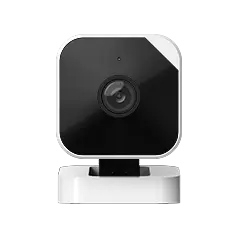
- Live camera viewing: Watch Abode Cam 2 feeds in real-time through the app
- Z-Wave & Zigbee support: Connect third-party smart locks, lights, and sensors
- Geofencing: Auto-arm when you leave, disarm when you arrive
For comparison, Ring locks app control behind Ring Protect Plus ($20/month) and SimpliSafe disables camera viewing without a plan. Abode gives you both for free.
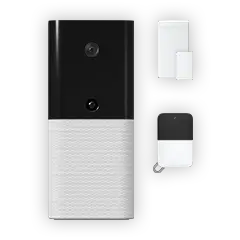
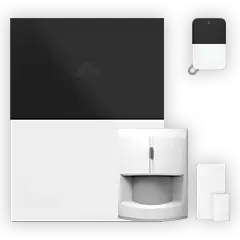
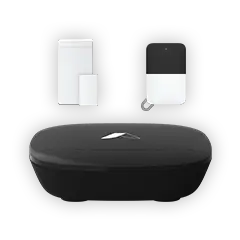
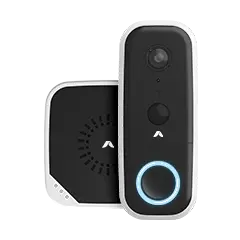
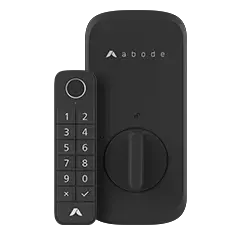
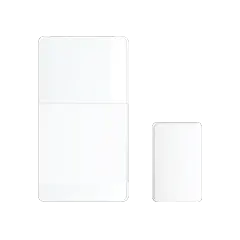
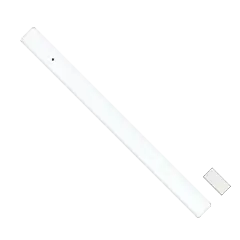
Abode Equipment to Start
Total setup cost: $354 one-time, $0/month forever.
If you later want professional monitoring, Abode’s plans start at $8/month with no contract — upgrade or cancel anytime.
#2: SimpliSafe — Decent Hardware, Weak Free Tier
SimpliSafe lets you use the system without a subscription, but the free experience is limited. You get local siren alerts and keypad control, but no app access for remote arming, no camera viewing, and no smart home integration. It’s basically a loud noise maker without the plan.
The hardware itself is solid — SimpliSafe makes good sensors and their base station has cellular capability. But the free tier is designed to make you subscribe, not to provide standalone value.
What SimpliSafe Locks Behind a Subscription
- Remote arm/disarm via app ($17.99/month)
- Camera live view and recording ($17.99/month)
- Smart home integration ($17.99/month)
- Professional monitoring ($17.99–$27.99/month)
#3: Ring Alarm — Worst Free Experience
Ring’s free tier changed dramatically in 2024. Without Ring Protect Plus ($20/month), you can’t arm or disarm from the app, don’t get mobile notifications, and cameras won’t record or show live feeds. You’re left with a keypad and a siren.
Ring’s hardware ecosystem is massive — doorbells, floodlight cams, indoor cameras — but every piece of it becomes significantly less useful without the subscription. The system was designed around Ring Protect, and it shows.
#4: Eufy — Best No-Fee Cameras
Eufy’s strength is cameras with local storage. The eufyCam S3 Pro records 4K footage to a local HomeBase hub with zero cloud fees. Add a SoloCam for outdoor coverage and an Indoor Cam Mini for inside — all footage stored locally, all free to view in the app.
The catch: Eufy doesn’t make a security system. No door/window sensors, no motion detectors for alarm purposes, no keypads, no professional monitoring option. It’s cameras only. For a complete no-fee setup, pair Eufy cameras with Abode’s free tier for alarm + camera coverage.
#5: Wyze — Budget Cameras With Limits
Wyze cameras start at $20 and offer free 12-second event clips stored in the cloud for 14 days. That’s enough for basic monitoring, but the clip length means you’ll miss context before and after events. Continuous recording requires Cam Plus ($1.99/month per camera) or a microSD card.
Like Eufy, Wyze is cameras-only — no door sensors or alarm system. Their $35 Abode Cam 2 offers better integration if you’re building a full system.
3-Year Cost: No-Fee vs Paid Monitoring
| Setup | Equipment | Monthly | 3-Year Total |
|---|
| Abode (free tier) | $354 | $0 | $354 |
| SimpliSafe (no plan) | $299 | $0 | $299* |
| Ring (no plan) | $279 | $0 | $279* |
| SimpliSafe (Interactive) | $299 | $27.99 | $1,307 |
| Ring (Protect Plus) | $279 | $20 | $999 |
| ADT (Traditional) | $0–$500 | $45+ | $1,620+ |
*SimpliSafe and Ring without a plan provide minimal functionality — no app control, no camera access. Abode’s free tier includes full app control and camera viewing.
Which No-Fee System Should You Buy?
- Best overall no-fee system: Abode Smart Security Kit — full app, HomeKit, cameras, smart home all free
- Best no-fee cameras: Eufy eufyCam S3 Pro — 4K local storage, zero cloud fees
- Best budget cameras: Wyze Cam v4 — $20 per camera with free 12-sec clips
- Skip without a plan: Ring and SimpliSafe — both lock core features behind subscriptions
When You Should Pay for Monitoring
A no-fee system handles 80% of home security needs: deter intruders, get alerts, check cameras, automate locks. But professional monitoring adds value in two scenarios:
- You travel frequently and can’t always respond to alerts yourself
- You want police/fire dispatch — monitored systems can call emergency services automatically
Abode makes this decision easy. Start free, and if you later want monitoring, upgrade to Pro ($20/month) with no contract. Try it for a month, cancel if you don’t need it. No other system gives you that flexibility.
FAQs
Do no-fee security systems actually work?
Yes — the sensors, sirens, and cameras function identically whether you pay monthly or not. The difference is what software features are enabled. Abode enables the most features for free; Ring and SimpliSafe restrict core functionality to push subscriptions.
Can I add professional monitoring later?
With Abode, yes — upgrade to any paid plan anytime with no contract. SimpliSafe also allows this. Ring requires Ring Protect Plus for monitoring. None require contracts.
Is self-monitoring safe enough?
For most households, self-monitoring with instant push notifications is sufficient. You’ll know within seconds if a sensor triggers. The gap is overnight or when you can’t check your phone — that’s where professional monitoring provides backup.
What’s the cheapest complete no-fee setup?
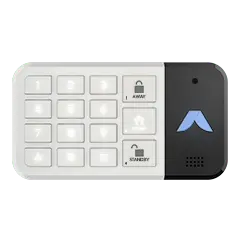
An Abode Security Kit ($140) with one Cam 2 ($35) gives you a hub, door sensor, keyfob, and indoor camera for $175 total — fully functional with the free plan.
Do I need cellular backup without a subscription?
Cellular backup protects your system if Wi-Fi goes down. On Abode’s free tier, the system runs over Wi-Fi only. For cellular backup, Abode’s Connect+ plan ($13/month) adds it. Most homes with stable internet won’t need it for basic self-monitoring.
Related Posts



 Abode The Large Home Security Problem Most home security guides assume a 1,500 sq ft house with 6 windows and 2 doors. If your home is 3,000 sq ft or larger, you're dealing with 15–25...