All ArticlesSelf-Monitored Home Security in 2026: The Complete Guide
 Abode February 23, 2026
 Self-monitored home security puts you in control. Instead of paying $30-$50/month for a monitoring center to watch your system, you get instant alerts on your phone and decide how to respond. It’s cheaper, more flexible, and — with the right system — just as effective.
This guide covers everything you need to know about self-monitoring: how it works, when it makes sense, what to look for in a system, and why thousands of homeowners are ditching expensive monitoring contracts.
What Is Self-Monitored Home Security?
Self-monitored home security means you receive alerts when sensors are triggered — not a call center. Your system still has sensors, cameras, sirens, and a hub, but instead of paying for 24/7 professional monitoring, you monitor everything through a smartphone app.
How Self-Monitoring Works
- Sensors detect activity — door opens, motion detected, glass breaks
- Hub processes the alert — determines if it’s a real event based on your armed mode
- You get a push notification — instantly on your phone, with camera footage if available
- You decide what to do — call police, check the camera, dismiss false alarm, or trigger the siren remotely
The key difference from professional monitoring: no one calls the police on your behalf. You’re the monitoring center.
Self-Monitored vs Professional Monitoring
| Feature | Self-Monitored | Professionally Monitored |
|---|
| Monthly Cost | $0 (free) | $20-$50/month |
| Who Responds | You | Monitoring center → police/fire |
| Response Time | Instant notification | 30-60 seconds for center to verify |
| False Alarm Handling | You dismiss instantly | Center calls you, then may dispatch |
| Contract Required | No | Often yes (1-3 years) |
| Police Dispatch | You call 911 | Center dispatches automatically |
| Works When You’re Asleep | Depends on phone volume | ✅ Center monitors 24/7 |
| Insurance Discount | Some providers | Most providers (5-20% off) |
When Self-Monitoring Makes Sense
Self-monitoring is ideal if you:
- Want to save money — $0/month vs $20-$50/month saves $240-$600/year
- Always have your phone nearby — you’ll get alerts instantly
- Live in an area with slow police response — professional monitoring won’t help if response times are 30+ minutes
- Rent your home — no contracts, take the system when you move
- Want control over false alarms — no fines from accidental police dispatch
- Travel frequently — monitor your home from anywhere via app
Consider adding professional monitoring if you’re away from your phone for long periods, have a large property, or want the insurance discount that some insurers only give for monitored systems.
Pro tip: The best systems let you switch between self-monitoring and professional monitoring month to month — no contract required. That way you can self-monitor normally and add professional monitoring when you’re on vacation. Abode offers exactly this flexibility →
Best Self-Monitored Security Systems for 2026
1. Abode — Best Overall for Self-Monitoring
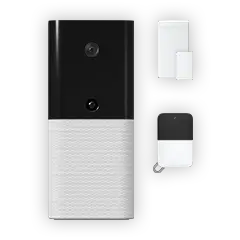
Abode’s Smart Security Kit was designed with self-monitoring as a first-class feature, not an afterthought. The free plan includes:
Why Abode wins: It’s the only major system with Apple HomeKit support, works with both Z-Wave and Zigbee smart home devices, and gives you a genuinely full-featured free tier — not a crippled version that nags you to upgrade.
Equipment cost: Smart Security Kit starts at $199
2. Ring Alarm — Budget Runner-Up
Ring’s system offers self-monitoring through the Ring app. Basic features are free, but camera recording requires Ring Protect ($3.99/mo per camera or $20/mo for all). No HomeKit support, and you’re locked into Amazon’s ecosystem.
3. SimpliSafe — Good But Limited Free Tier
SimpliSafe offers self-monitoring, but camera features, smart home integrations, and secret alerts are locked behind their $29.99/mo plan. The free tier is bare-bones compared to Abode.
What to Look for in a Self-Monitored System
Must-Have Features
- Instant push notifications — delays of even 30 seconds defeat the purpose
- Reliable app — if the app crashes or is slow, you miss alerts
- Loud built-in siren — your main deterrent when no one’s calling the police
- Cellular backup — Wi-Fi alone isn’t enough (burglars can cut power/internet)
- Camera integration — see what’s happening, not just that something happened
- Battery backup on hub — system stays active during power outages
Nice-to-Have Features
- Geofencing — auto-arm when you leave, disarm when you arrive
- Smart home integration — lights, locks, thermostats respond to security events
- Two-way audio on cameras — talk to visitors or scare off intruders
- Environmental sensors — water leak, temperature, smoke detection
- Local storage option — camera footage saved locally, not just cloud
How to Self-Monitor Effectively
Set Up Smart Automations
The best self-monitored systems let you create if/then rules that act as your automated monitoring center:
- If front door opens while armed → Then turn on all lights + start camera recording + send alert
- If motion detected at night → Then activate siren after 30-second delay
- If glass break detected → Then immediate siren + camera clip to phone
- If everyone leaves home (geofence) → Then auto-arm system
Abode’s CUE automation engine supports all of these scenarios — essentially giving you automated response without paying for monitoring.
Notification Best Practices
- Enable critical alerts on your phone so security notifications bypass Do Not Disturb
- Set up multiple contacts — if you don’t respond in 2 minutes, alert your partner or neighbor
- Use entry delays wisely — give yourself time to disarm when arriving home, but keep delays short (30 seconds max)
- Test monthly — trigger each sensor to make sure notifications are working
Self-Monitoring Costs: What You’ll Actually Pay
| System | Equipment | Monthly (Self-Monitor) | Year 1 Total | 3-Year Total |
|---|
| Abode | $199 | $0 | $199 | $199 |
| Ring Alarm | $199 | $0 (no cam recording) | $199 | $199 |
| SimpliSafe | $199 | $0 (very limited) | $199 | $199 |
| Pro monitoring comparison | $199 | $20-$50 | $439-$799 | $919-$1,999 |
Over 3 years, self-monitoring saves you $720 to $1,800 compared to professionally monitored plans. That’s money you can put toward additional cameras, sensors, or smart locks.
Common Concerns About Self-Monitoring
What if I’m asleep and miss an alert?
Set your security notifications as critical alerts (iPhone) or override Do Not Disturb (Android). The built-in siren (95dB on Abode systems) will also wake you up. You can also set automations to turn on all lights when the alarm triggers.
Will police respond if I call from a self-monitored system?
Yes. You call 911 just like any other emergency. Some jurisdictions actually respond faster to direct calls than to alarm company dispatches, since alarm companies have high false-alarm rates.
Can I get a home insurance discount?
Many insurers offer discounts for any security system — monitored or not. Ask your provider. If they require professional monitoring, remember that Abode lets you add it for just $20/month with no contract.
What if my internet goes down?
Quality systems have cellular backup that keeps your system connected even without Wi-Fi. Abode’s monitoring plans include cellular backup, and the siren works locally regardless of connectivity.
Getting Started
Ready to take control of your home security without monthly fees? Here’s the quickest path:
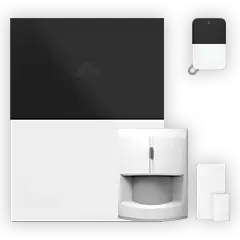
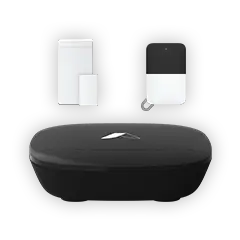
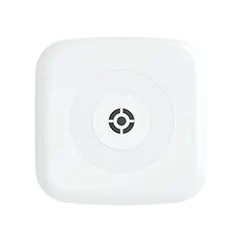
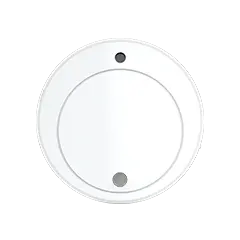
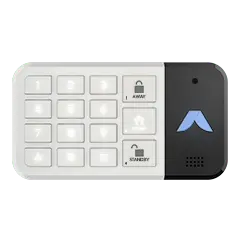
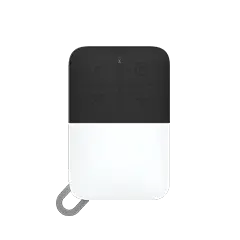
- Start with the Abode Smart Security Kit — includes hub, keypad, motion sensor, and entry sensor
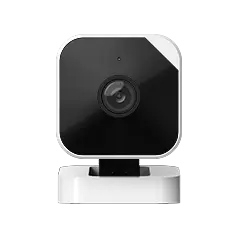
- Add a camera — visual verification is the biggest upgrade for self-monitoring
- Set up automations — lights, sirens, and camera rules in the Abode app
- Enable critical notifications — make sure alerts cut through Do Not Disturb
- Consider additional sensors — cover all entry points (doors, windows, garage)
No contracts. No monthly fees. Full control from your phone. That’s self-monitored security done right.





 April 22, 2026 Best Home Security Systems That Work With Apple Home in 2026: Real Compatibility, Costs, and Tradeoffs
  Abode Summary Apple Home (formerly HomeKit) adds Siri control, Home-hub automation, and secure-video routing on top of a traditional alarm system. In 2026, three security systems genuinely...