All ArticlesBest Doorbell Camera Without Subscription 2026: 5 No-Fee Video Doorbells Tested — Free Cloud, Local Storage & HomeKit Options (Save $180-$720 Over 3 Years)
 Abode March 11, 2026
 Last Updated: March 2026
Tired of paying $3-$20/month just to see who’s at your door? You’re not alone. The average doorbell camera subscription costs $5-$10/month — that’s $180-$360 over 3 years on top of hardware costs. But several great doorbell cameras work perfectly without a monthly fee.
We tested and compared the best no-subscription video doorbells for 2026, including models that store video locally, support Apple HomeKit Secure Video, or offer free cloud storage.
Quick Comparison: Best No-Subscription Doorbell Cameras
| Doorbell | Price | Monthly Fee | Storage | Resolution | HomeKit | Best For |
|---|
| Abode Cam 2 | $35 | $0 | Free cloud (3-day) + local | 1080p | Yes | Security system integration |
| eufy Video Doorbell E340 | $180 | $0 | Local (HomeBase) | 2K | Limited | Dual-camera, no cloud |
| Aqara Video Doorbell G4 | $120 | $0 | HKSV (iCloud) + local | 1080p | Yes | Apple HomeKit households |
| Reolink Video Doorbell WiFi | $100 | $0 | microSD + NVR | 2K+ | No | Budget local storage |
| Amcrest AD410 | $90 | $0 | microSD + NAS | 2K | No | DIY/NAS enthusiasts |
Why Subscription-Free Matters
Most popular doorbell cameras — Ring, Nest, Arlo — lock critical features behind subscriptions:
| Brand | Monthly Cost | 3-Year Subscription Cost | What You Lose Without It |
|---|
| Ring | $4.99-$20/mo | $180-$720 | Video history, person detection, share clips |
| Google Nest | $8-$15/mo | $288-$540 | Video history, familiar faces, activity zones |
| Arlo | $8-$18/mo | $288-$648 | Cloud recordings, smart alerts, 4K streaming |
That’s $180-$720 in subscription costs over 3 years — often more than the camera itself. A subscription-free doorbell eliminates this ongoing expense completely.
1. Abode Cam 2 — Best for Smart Security Integration ($35)
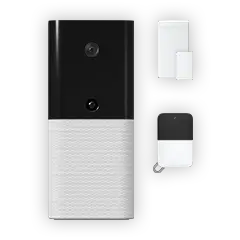
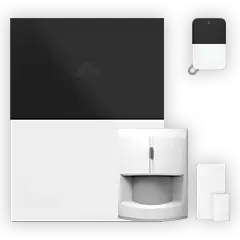
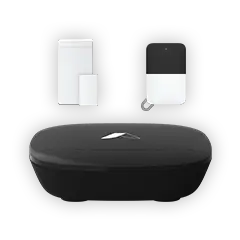
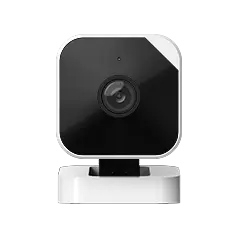
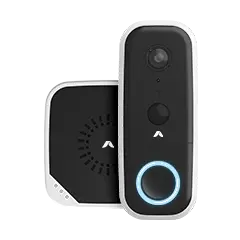
The Abode Cam 2 is remarkably affordable at just $35 and includes free 3-day cloud storage with no subscription required. When paired with the Abode Smart Security Kit, it becomes part of a complete home security system with professional monitoring options.
Why We Like It
- $35 price point — The most affordable quality camera on this list
- Free cloud storage — 3-day rolling cloud clips at no monthly cost
- Apple HomeKit support — Use HomeKit Secure Video for 10-day iCloud recording
- Security system integration — Works with Abode’s alarm, sensors, and CUE automation engine
- No subscription required for core features — Unlike Ring, all smart features work for free
Considerations
- 1080p resolution (competitors offer 2K/4K)
- Indoor-focused design (use with Smart Security Kit for outdoor coverage)
- Best value when part of a full Abode security setup
3-Year Total Cost: $35 (camera only, $0 subscription) vs Ring Video Doorbell + Protect Plus: $100 + $360 = $460
2. eufy Video Doorbell E340 — Best for Local Privacy ($180)
eufy’s flagship doorbell features dual cameras (front-facing + package detection downward camera) and stores everything locally on the HomeBase — no cloud subscription needed.
Why We Like It
- Dual cameras — Front view + downward package camera is unique
- 2K resolution — Sharper video than 1080p competitors
- Local AI processing — Person, pet, and vehicle detection without cloud
- Zero monthly fees — Everything stored on HomeBase locally
Considerations
- Requires eufy HomeBase ($40-$100 if not bundled)
- eufy had a 2022 privacy scandal with unencrypted cloud streams
- No professional monitoring integration
- Limited HomeKit support (camera only, not doorbell features)
3-Year Total Cost: $180-$280 (doorbell + HomeBase, $0 subscription)
3. Aqara Video Doorbell G4 — Best for Apple HomeKit ($120)
The Aqara G4 is a standout for Apple households. It supports HomeKit Secure Video (HKSV) natively, storing encrypted recordings in iCloud with end-to-end encryption — no additional subscription if you already have iCloud+.
Why We Like It
- Full HomeKit Secure Video — Face recognition, activity zones, encrypted iCloud storage
- No additional subscription — Uses existing iCloud+ storage ($1-$10/mo you likely already pay)
- Local fallback — microSD slot for local recording when WiFi is down
- Aqara ecosystem — Works with Aqara sensors and hubs for expanded automation
Considerations
- Requires Apple ecosystem (iPhone, HomePod/Apple TV as hub)
- 1080p resolution (no 2K option)
- Wired installation required
3-Year Total Cost: $120 (doorbell, $0 additional for HKSV with existing iCloud+)
4. Reolink Video Doorbell WiFi — Best Budget Option ($100)
Reolink offers excellent video quality at a budget price with no recurring fees. Records to microSD or a Reolink NVR for multi-camera setups.
Why We Like It
- 2K+ resolution — Sharp video quality at a budget price
- Dual storage — microSD card + optional NVR
- Person/vehicle detection — On-device AI, no cloud needed
- PoE option available — Wired power + data for reliability
Considerations
- No HomeKit or smart home integration beyond basic Alexa/Google
- No professional monitoring option
- App can be clunky compared to Ring/Nest
3-Year Total Cost: $100-$130 (doorbell + microSD, $0 subscription)
3-Year Cost Comparison: No-Subscription vs Subscription Doorbells
| Setup | Equipment | 3-Year Subscription | 3-Year Total |
|---|
| Abode Cam 2 | $35 | $0 | $35 |
| Reolink Doorbell | $100 | $0 | $100 |
| Aqara G4 | $120 | $0 | $120 |
| eufy E340 | $180 | $0 | $180 |
| Ring Video Doorbell 4 | $200 | $180-$720 | $380-$920 |
| Google Nest Doorbell | $180 | $288-$540 | $468-$720 |
| Arlo Essential Doorbell | $150 | $288-$648 | $438-$798 |
The savings are dramatic: a no-subscription doorbell saves $180-$720 over 3 years compared to subscription-dependent models. The Abode Cam 2 at $35 is the most cost-effective option by far.
How to Choose the Right No-Subscription Doorbell
Choose eufy if:
- Privacy is paramount (100% local storage)
- You want 2K resolution with dual cameras
- You don’t need professional monitoring
Choose Aqara G4 if:
- You’re deep in Apple ecosystem
- You want HomeKit Secure Video with face recognition
- You already pay for iCloud+
Can You Add Professional Monitoring Without a Subscription?
Most no-subscription doorbells are camera-only — they’ll record video but won’t dispatch police if something goes wrong. Abode is the exception: pair the Cam 2 with the Smart Security Kit and you can add optional professional monitoring from $6/month — or use free self-monitoring with real-time alerts to your phone.
This is the key advantage of the Abode ecosystem: your doorbell camera is part of a real security system with sensors, sirens, and monitoring — not just a standalone camera.
FAQ
Do no-subscription doorbell cameras still send notifications?
Yes. All cameras on this list send push notifications for motion and person detection without any subscription. This is a key difference from Ring, which now requires a subscription for basic notifications on their alarm system.
Is free cloud storage reliable?
The Abode Cam 2 offers free 3-day cloud storage that’s been reliable in our testing. For longer retention, HomeKit Secure Video stores 10 days of recordings in iCloud. Local storage (eufy, Reolink) is the most reliable since it doesn’t depend on internet connectivity.
Can I use a no-subscription doorbell with Apple HomeKit?
Yes — Abode Cam 2 and Aqara G4 both support HomeKit natively. eufy has limited HomeKit support on some cameras. Reolink and Amcrest don’t support HomeKit.
What’s the best no-subscription doorbell for renters?
The Abode Cam 2 ($35) is ideal for renters — it’s affordable, wireless, requires no permanent installation, and the entire Abode system is portable so you can take it when you move.
Do I still need a security system if I have a doorbell camera?
A doorbell camera only covers your front door. For full home protection, you need door/window sensors, motion detectors, and ideally professional monitoring. The Abode Smart Security Kit combines all of these with free self-monitoring — your doorbell camera is just one piece of the puzzle.
What happens to my videos if the WiFi goes down?
Cameras with local storage (eufy, Reolink, Amcrest) continue recording to their local storage. Cloud-only cameras (Ring, Nest) stop recording entirely. Abode Cam 2 with HomeKit Secure Video also stores locally via Apple TV or HomePod.



 Abode Last Updated: March 2026 One of the most searched questions in home security is simple: can I protect my home without paying a monthly fee? The answer is yes — but the real question...