All ArticlesHome Security Camera Privacy 2026: What Gets Recorded, Who Sees It & How to Keep Your Footage Private
 Abode March 09, 2026
 Home Security Camera Privacy 2026: What Gets Recorded, Who Sees It & How to Keep Your Footage Private
Every security camera records video. But where that video goes — and who can access it — varies wildly between brands. Some upload every clip to cloud servers. Others store footage locally. Some have been caught giving footage to law enforcement without owner consent.
If you care about both security and privacy, here’s what you need to know in 2026.
The Privacy Problem With Most Security Cameras
Most popular security cameras require a cloud subscription to store or even review video clips. That means:
| Issue | Why It Matters |
|---|
| Video stored on company servers | Your footage exists on servers you don’t control, potentially accessible to employees, hackers, or law enforcement |
| Subscription required to save clips | Without paying monthly, your cameras become live-view-only — you can’t review what happened |
| Data sharing with third parties | Some companies share footage with police without a warrant or your consent |
| Account compromises | If your account is hacked, attackers see inside your home |
| Company policy changes | Terms of service can change to allow new data uses after you’ve already installed cameras |
How Major Brands Handle Your Video Data
| Brand | Cloud Storage | Local Storage Option | End-to-End Encryption | Law Enforcement Sharing | Privacy Rating |
|---|
| Abode | Optional (with plan) | Yes (via HomeKit Secure Video) | Yes (HKSV) | Warrant required | ★★★★★ |
| Ring (Amazon) | Required for clips | Limited (Ring Edge) | Optional (off by default) | Previously shared without consent* | ★★☆☆☆ |
| Nest (Google) | Required for all video | No | No | Has shared in emergencies without warrant | ★★★☆☆ |
| Arlo | Required for clips | USB/microSD on some models | No | Warrant required | ★★★☆☆ |
| Wyze | Optional | Yes (microSD) | No | Warrant required | ★★★☆☆ |
| eufy | Optional | Yes (local hub) | Claimed but disputed** | Warrant required | ★★★☆☆ |
*Ring changed its policy in 2023 after public backlash, now requires warrants or owner consent. **eufy was caught uploading thumbnails to cloud despite “local only” marketing in 2022.
What Makes Abode Different: HomeKit Secure Video
Abode is the only security system that supports Apple HomeKit Secure Video (HKSV). Here’s why that matters for privacy:
| Feature | Standard Cloud | HomeKit Secure Video (Abode) |
|---|
| Where video is processed | Company’s cloud servers | Your Apple TV or HomePod (locally) |
| Where video is stored | Company’s cloud | Your iCloud (end-to-end encrypted) |
| Who can decrypt video | The company + you | Only you (Apple can’t decrypt it) |
| AI detection processing | Cloud servers | On-device (Apple TV/HomePod) |
| Company employee access | Technically possible | Impossible (zero-knowledge encryption) |
| Law enforcement access | Possible with/without warrant | Impossible without your Apple ID password |
| Additional cost | $3-$13/mo per camera | Included with iCloud+ ($0.99/mo for 50GB) |
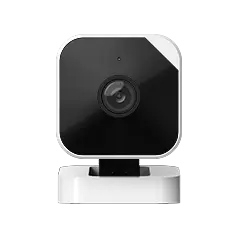
With HKSV, your Abode Cam 2 processes motion detection locally on your Apple TV or HomePod — the video never touches Abode’s servers or Apple’s servers in unencrypted form.
5 Steps to Maximum Camera Privacy
1. Choose a System With Local Processing
Abode with HomeKit Secure Video processes all AI detection (person, pet, vehicle, package) on your local Apple TV or HomePod. No cloud processing means no cloud exposure.
2. Enable End-to-End Encryption
If you use Abode with HKSV, encryption is automatic. For Ring users, you must manually enable E2EE in settings (it’s off by default, and enabling it disables some features).
3. Use Strong, Unique Passwords
Most camera “hacks” are actually credential stuffing — attackers use passwords leaked from other sites. Use a password manager and enable two-factor authentication on your Abode account.
4. Secure Your Wi-Fi Network
- Use WPA3 encryption (or WPA2 minimum)
- Change default router passwords
- Create a separate IoT network for cameras and sensors
- Keep router firmware updated
5. Position Cameras Thoughtfully
- Avoid pointing cameras at neighbors’ property
- Be aware of audio recording laws in your state (some require two-party consent)
- Indoor cameras in bedrooms or bathrooms are a liability
- Use Abode’s scheduling features to disable indoor cameras when you’re home
The Real Cost of “Free” Cloud Storage
| What You Get “Free” | What You Give Up |
|---|
| Ring: No clip storage without subscription | Video metadata, device usage patterns, neighborhood data |
| Nest: 3 hours event history | Video processed by Google AI, integrated with ad profile data |
| Wyze: 12-second clips (with ads) | Ads in your security app, data used for ad targeting |
| Abode: Full live view, system alerts, app control | Nothing — no ads, no data mining, no third-party sharing |
Privacy by System: 3-Year Cost Comparison
| Setup | 3-Year Camera Cost | Privacy Level | Local Storage | E2E Encryption |
|---|
| Abode Cam 2 + HKSV | $35 + $36/yr iCloud+ | Maximum | Yes | Yes |
| Ring Indoor Cam + Protect Plus | $60 + $300 (3yr plan) | Low-Medium | With Ring Edge | Optional |
| Nest Cam + Aware Plus | $100 + $360 (3yr plan) | Medium | No | No |
| Wyze v4 + Cam Plus | $36 + $72 (3yr plan) | Low | microSD only | No |
| eufy Indoor Cam | $40 + $0 | Medium* | Yes | Disputed |
Abode’s Privacy-First Approach
- No ads in the app — Your security app should never show you advertisements
- No data selling — Abode doesn’t monetize your video data or usage patterns
- HomeKit Secure Video support — The only security system with Apple’s gold-standard privacy framework
- Optional cloud — You choose whether video goes to the cloud or stays local
- Transparent monitoring — Pro monitoring receives alarm signals, not video feeds
- Geofencing automations — Automatically arm/disarm and disable cameras based on whether you’re home
How to Set Up Maximum Privacy With Abode
| Step | What to Do | Cost |
|---|
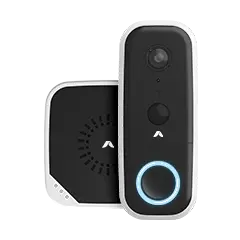
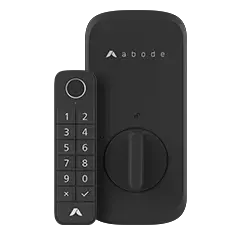
| 1 | Get an Abode Smart Security Kit | $199 |
| 2 | Add an Abode Cam 2 | $35 |
| 3 | Connect to Apple HomeKit in the Abode app | Free |
| 4 | Enable HomeKit Secure Video in Apple Home app | Requires iCloud+ ($0.99/mo) |
| 5 | Set up geofencing to auto-disable indoor cameras when home | Free |
| 6 | Enable 2FA on your Abode account | Free |
| 7 | Create a separate Wi-Fi network for IoT devices | Free (router setting) |
Total investment: $234 + $0.99/mo for iCloud+ — maximum privacy with zero-knowledge encrypted video that even Apple can’t access.
Frequently Asked Questions
Can Abode employees see my camera footage?
If you use HomeKit Secure Video, no — your video is end-to-end encrypted. HKSV makes it technically impossible for anyone without your Apple ID credentials.
Do I need HomeKit to use Abode cameras?
No. Abode cameras work with or without HomeKit. But for maximum privacy, HKSV provides the strongest encryption available in any consumer security camera.
Can police get my Abode camera footage?
With HKSV, your video is end-to-end encrypted in your iCloud — not even Apple can decrypt it. Without your password and consent, the footage is inaccessible. Without HKSV, Abode requires a valid warrant.
Is Ring still sharing video with police?
Ring changed its policy in 2023 after sharing video from over 2,000 accounts without warrants. They now require a warrant or owner consent. However, the historical precedent concerns privacy advocates.
What about Google Nest cameras?
Nest cameras process all video on Google’s cloud servers. Google has disclosed footage in “emergency” situations without warrants. There’s no local processing or end-to-end encryption option.
Does Abode show ads in the app?
No. Some competitors (including Wyze) show third-party ads in their security apps. Abode’s app is ad-free.




 April 03, 2026 SimpliSafe vs Abode 2026: We Compared Plans, Pricing, Smart Home, and 3-Year Costs — One System Saves You $504
  Abode SimpliSafe and Abode are the two most popular DIY home security systems in 2026. Both skip long-term contracts, both install in under an hour, and both offer professional monitoring....