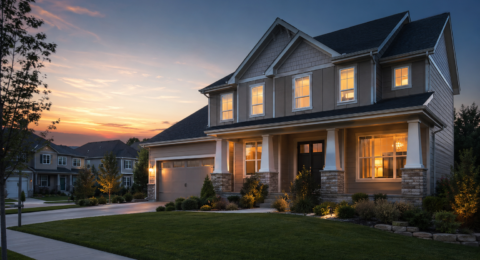
Smart Home Security Hub 2026: Why Your Smart Home Needs a Real Security Brain (Not Just Another Hub)
AbodeMarch 07, 2026
A smart home security hub is the brain of your connected home — the single device that ties your door sensors, cameras, smart locks, lights, and alarm system together into one coordinated ecosystem. Without a hub, you’re stuck juggling 5 different apps and hoping they work together. With the right one, your home thinks for itself.
But here’s the problem: most “smart home hubs” aren’t security systems, and most security systems aren’t real smart home hubs. In 2026, only one device does both well.
What Is a Smart Home Security Hub?
A true smart home security hub combines two things that are usually sold separately:
Function
Security System Only
Smart Home Hub Only
Smart Home Security Hub
Door/window sensors
✅
❌
✅
Professional monitoring
✅
❌
✅
Siren + alarm
✅
❌
✅
Cellular backup
✅
❌
✅
Z-Wave/Zigbee device control
❌
✅
✅
Smart lock integration
Some
✅
✅
Lighting automations
❌
✅
✅
Multi-protocol support
❌
✅
✅
If-this-then-that automations
Limited
✅
✅
HomeKit/Alexa/Google
Some
✅
✅
Most systems give you one column or the other. A smart home security hub gives you both — which is why Abode is uniquely positioned in 2026.
Why Abode Is the Best Smart Home Security Hub
Abode’s gateway isn’t just a security panel — it’s a fully certified Z-Wave Plus, Zigbee, and HomeKit hub that controls hundreds of third-party devices while providing professional-grade security monitoring.
Protocol Support
Protocol
Abode
Ring
SimpliSafe
SmartThings
Hubitat
Z-Wave Plus
✅
✅
❌
✅
✅
Zigbee
✅
❌
❌
✅
✅
Wi-Fi
✅
✅
✅
✅
✅
HomeKit
✅ Native
❌
❌
❌
❌
Matter (future)
Planned
Planned
❌
✅
✅
Professional monitoring
✅
✅
✅
❌
❌
Cellular backup
✅
✅
✅
❌
❌
Key insight: SmartThings and Hubitat are great smart home hubs but terrible security systems — no siren, no monitoring, no cellular backup. Ring and SimpliSafe are solid security systems but limited smart home hubs. Abode is the only device that’s both.
What You Can Control With Abode
Because Abode supports Z-Wave and Zigbee natively, you can connect hundreds of third-party devices without additional hubs:
Device Category
Compatible Brands
What It Does With Abode
Smart locks
Schlage, Yale, Kwikset, August
Auto-lock when you arm, unlock when you disarm, lock status in app
Smart lights
GE, Inovelli, Sengled, Philips Hue (via Zigbee)
Lights on when alarm triggered, simulate occupancy, sunset automations
Garage doors
GoControl, Linear
Auto-close when armed, alert if left open
Thermostats
Ecobee, Honeywell (Z-Wave)
Set to away mode when armed away, save energy
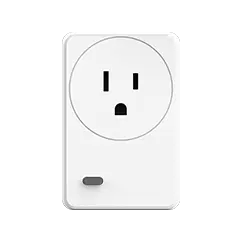
Smart plugs
GE, Aeotec, Abode
Control lamps, fans, appliances via CUE automations
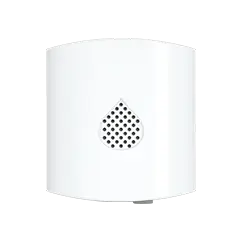
Water sensors
Abode, any Z-Wave leak sensor
Alert + shut off water valve when leak detected
Smoke/CO listeners
Abode
Listen for existing smoke alarms, alert monitoring center
CUE Automations: Your Home Thinks for Itself
Abode’s CUE automation engine is what transforms it from a security system into a smart home brain. Here are the automations that make the biggest difference:
Automation
Trigger
Action
Why It Matters
Geofence arm
Last person leaves home
Arm system, lock doors, set thermostat to away, turn off lights
Never forget to arm — happens automatically
Geofence disarm
First person arrives home
Disarm system, unlock front door, adjust thermostat, turn on lights
Walk in to a ready home
Sunset security
Sunset (daily)
Turn on porch lights, activate exterior cameras, arm perimeter
Automatic evening security mode
Alarm response
Alarm triggered
All lights on, cameras record, smart lock locks, siren sounds
Maximum deterrence during break-in
Goodnight routine
Arm Home mode
Lock all doors, turn off downstairs lights, set thermostat to sleep
One-tap bedtime security
Leak response
Water sensor triggered
Alert you, trigger Z-Wave water valve shutoff
Prevent thousands in water damage
Why Not Just Use SmartThings or Hubitat?
If you already have a smart home hub, you might wonder why you need Abode. The answer is what happens when something goes wrong:
Scenario
SmartThings/Hubitat
Abode
Someone breaks in
Maybe sends a notification (if cloud is up)
105dB siren + monitoring center calls police + cellular alert
Power goes out
System goes offline
Battery backup + cellular keeps system running
Internet goes down
Most automations stop
Cellular backup maintains security + alerts
Smoke alarm goes off at 3am
Nothing (no smoke integration)
Monitoring center dispatches fire department
Water leak while you’re on vacation
Notification (if you see it)
Alert + optional auto water shutoff + monitoring call
You forget to lock up
Maybe a reminder
Geofencing auto-arms, auto-locks doors
The bottom line: Smart home hubs are great for convenience. But when your family’s safety is on the line, you need a system with cellular backup, battery power, a real siren, and humans who will call 911 if you can’t. Abode gives you all of this plus the smart home hub capabilities.
Complete Smart Home Security Hub Setup
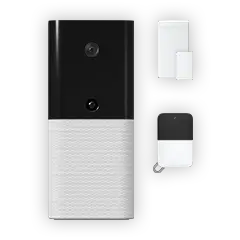
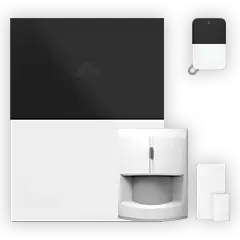
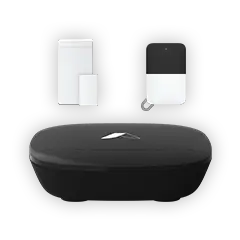
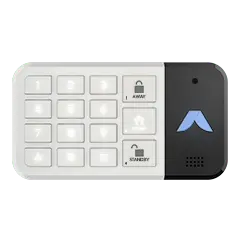
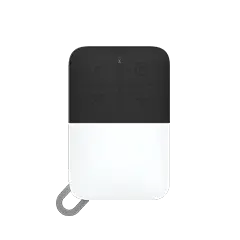
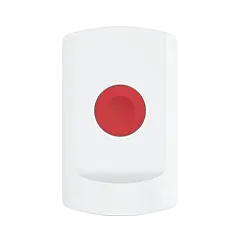
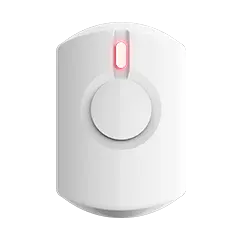
Here’s our recommended Abode setup that turns your home into a fully automated, secure smart home:
Total: ~$683 + $6/month — a complete smart home security system with automations, Z-Wave control, HomeKit integration, and optional professional monitoring. Compare that to Vivint at $2,000+ with a 60-month contract.
3-Year Cost Comparison
System
Equipment
Monthly
3-Year Total
Smart Home Hub?
Security System?
Abode (self-monitored)
$199
$0
$199
✅
✅
Abode (Connect)
$199
$6
$415
✅
✅
SmartThings + Ring
$350
$20
$1,070
✅
✅ (separate)
Ring Alarm Pro
$300
$20
$1,020
Limited
✅
SimpliSafe
$249
$18
$897
❌
✅
Hubitat + SimpliSafe
$400
$18
$1,048
✅
✅ (separate)
Vivint
$0-$600
$45
$1,620-$2,220
✅ (proprietary)
✅
Smart Home Security Hub FAQ
Can I use Abode as my only smart home hub?
Yes. Abode supports Z-Wave Plus and Zigbee natively, so it can control smart locks, lights, plugs, thermostats, and garage doors directly — no additional hub needed. It also works with HomeKit, Alexa, and Google Home for voice control and ecosystem integration.
Do I need professional monitoring?
No. Abode’s free tier gives you full smart home hub control, siren alerts, and push notifications with no monthly fee. The Connect plan ($6/month) adds cellular backup and timeline history. The Connect+ plan ($12/month) adds professional monitoring where a center dispatches police and fire on your behalf.
What’s the difference between Abode and SmartThings?
SmartThings is a smart home hub with no security features — no siren, no monitoring, no cellular backup, no battery backup. Abode is a security system AND a smart home hub in one device. If you only want smart home control, SmartThings works. If you want your smart home to also protect your family, you need Abode.
Can I add Abode to my existing smart home?
Yes. If you already have Z-Wave or Zigbee devices, Abode can take over as the hub. It also works alongside HomeKit, Alexa, and Google Home. Many customers use Abode as their security hub while keeping Alexa or Google for voice control and entertainment.
Does Abode work with Apple HomeKit?
Yes — Abode is the only security system with native HomeKit support. Your sensors, cameras, and system status appear in the Apple Home app. Combined with HomeKit Secure Video on Abode cameras, Apple users get the most private and integrated smart home security experience available.
What Z-Wave devices work best with Abode?
The most popular Z-Wave devices used with Abode include Schlage Encode (smart locks), GE/Jasco switches (smart lights), GoControl garage door openers, and Aeotec smart plugs. Any Z-Wave Plus certified device should work, giving you thousands of compatible options.
To provide the best experiences, we use technologies like cookies to store and/or access device information. Consenting to these technologies will allow us to process data such as browsing behavior or unique IDs on this site. Not consenting or withdrawing consent, may adversely affect certain features and functions.
Functional Always active
The technical storage or access is strictly necessary for the legitimate purpose of enabling the use of a specific service explicitly requested by the subscriber or user, or for the sole purpose of carrying out the transmission of a communication over an electronic communications network.
Preferences
The technical storage or access is necessary for the legitimate purpose of storing preferences that are not requested by the subscriber or user.
Statistics
The technical storage or access that is used exclusively for statistical purposes.The technical storage or access that is used exclusively for anonymous statistical purposes. Without a subpoena, voluntary compliance on the part of your Internet Service Provider, or additional records from a third party, information stored or retrieved for this purpose alone cannot usually be used to identify you.
Marketing
The technical storage or access is required to create user profiles to send advertising, or to track the user on a website or across several websites for similar marketing purposes.





 April 03, 2026 SimpliSafe vs Abode 2026: We Compared Plans, Pricing, Smart Home, and 3-Year Costs — One System Saves You $504
  Abode SimpliSafe and Abode are the two most popular DIY home security systems in 2026. Both skip long-term contracts, both install in under an hour, and both offer professional monitoring....