HomeKit Security System 2026: Why Abode Is the Only Option (And How to Set It Up)
AbodeMarch 06, 2026
If you’ve been searching for a HomeKit security system, you’ve probably noticed something frustrating: almost none exist. Ring doesn’t support HomeKit. SimpliSafe doesn’t support HomeKit. ADT doesn’t support HomeKit. In fact, Abode is the only major home security system with full Apple HomeKit integration — and that’s not an accident. Here’s everything you need to know about securing your home with HomeKit in 2026.
Why Is HomeKit Security So Rare?
Apple’s HomeKit certification requires meeting strict security, privacy, and encryption standards that most security companies either can’t or won’t invest in. The certification process is expensive and time-consuming, and Apple mandates end-to-end encryption, local processing where possible, and strict data handling rules.
For most security companies, the engineering investment doesn’t justify the market share. Ring has Amazon’s ecosystem. SimpliSafe has its own closed platform. ADT partnered with Google. Abode chose to support everyone — HomeKit, Alexa, AND Google Home — which is why it stands alone in this category.
What Makes Abode the Only HomeKit Security System?
Abode doesn’t just “work with” HomeKit — it’s deeply integrated. Every security device appears in the Apple Home app as a native accessory:
Abode Device
HomeKit Category
What It Does in Home App
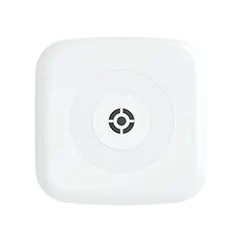
Abode Gateway
Security System
Arm Home / Arm Away / Disarm from any Apple device
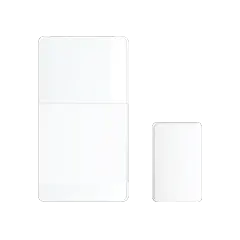
Door/Window Sensors
Contact Sensors
Open/closed status, trigger automations
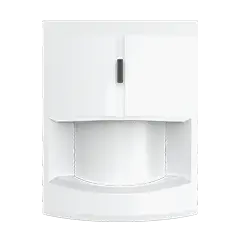
Motion Sensor
Motion Sensor
Detect movement, trigger lights/scenes
Glass Break Sensor
Contact Sensor
Break detection triggers alarm + automations
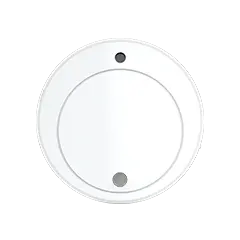
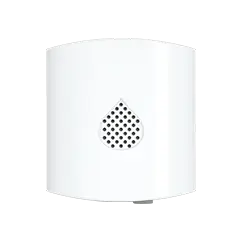
Water Leak Sensor
Leak Sensor
Water detection with instant alert
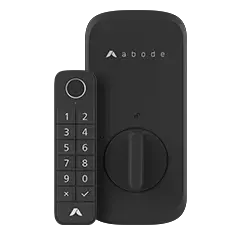
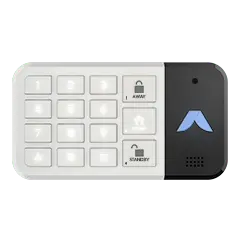
Keypad
N/A (panel control)
PIN arm/disarm at door
HomeKit Security Automations You Can Build
The real power of HomeKit security isn’t just arming from your iPhone — it’s the automations. With Abode sensors in HomeKit, you can create intelligent responses that work even when your phone is in your pocket:
Trigger
Automation
How to Set Up
Front door opens (armed away)
Turn on all lights, start camera recording
Home app → Automation → When door sensor detects open
Motion detected at night
Turn on hallway lights at 10%
Home app → Automation → Motion sensor + time condition
Last person leaves home
Arm Abode, lock doors, turn off lights
Home app → Automation → When last person leaves
First person arrives home
Disarm Abode, unlock door, adjust thermostat
Home app → Automation → When first person arrives
Water leak detected
Send critical alert, turn on bathroom light
Home app → Automation → Leak sensor trigger
Glass break detected
Turn on all exterior lights, start recording
Home app → Automation → Contact sensor trigger
These automations run on your Apple Home Hub (HomePod, HomePod mini, or Apple TV) — they work even if your iPhone isn’t home. Combined with Abode’s own CUE automation engine, you get two layers of smart automation working together.
Abode vs. The Competition: HomeKit Support Comparison
The takeaway: If HomeKit matters to you — and for Apple households, it absolutely should — Abode is your only real option. No other monitored security system offers native HomeKit integration.
The Complete HomeKit Security Setup with Abode
Here’s exactly what an Apple-centric home security setup looks like in 2026:
Total: ~$733 + $6/mo — complete professional-grade security with full HomeKit control. No contract. Cancel anytime. Every device controllable from your iPhone, iPad, Mac, or Apple Watch.
HomeKit Secure Video (HKSV): Do You Need It?
HomeKit Secure Video is Apple’s privacy-focused camera platform that stores encrypted footage in iCloud. It’s great for cameras — but it’s separate from your security system.
Feature
HKSV Cameras
Abode Security System
Purpose
Video surveillance with privacy
Intrusion detection and alarm response
Door/window protection
❌
✅
Professional monitoring
❌
✅ ($6-$20/mo)
Siren
❌
✅ (105 dB)
End-to-end encryption
✅ (iCloud)
✅ (HomeKit framework)
Local processing
✅ (Home Hub)
✅ (Abode Gateway)
Best approach: Use Abode for your security system (sensors, siren, monitoring) and add HKSV cameras (like Logitech Circle View or Eve Cam) if you want Apple-encrypted video. They complement each other perfectly in the Home app.
Privacy: Why Apple Users Choose HomeKit Security
Apple households tend to care deeply about privacy — and HomeKit’s architecture reflects that:
Privacy Feature
HomeKit (Abode)
Ring (Amazon)
Nest (Google)
Data encryption
End-to-end via HomeKit
Amazon cloud
Google cloud
Video sharing with law enforcement
Never without your consent
Has complied with requests
Has complied with requests
Advertising use of data
None
Amazon ecosystem
Google ecosystem
Local processing option
✅ Home Hub
Limited
Limited
Works without cloud
✅ (basic features)
❌
❌
Frequently Asked Questions
Is Abode really the only HomeKit security system?
Yes. As of 2026, Abode is the only major home security system with full Apple HomeKit certification. There are HomeKit-compatible cameras and sensors from other brands, but no other complete alarm system with professional monitoring integrates with HomeKit.
Can I arm Abode from my Apple Watch?
Yes. Since Abode appears as a security system in the Apple Home app, you can arm and disarm from any Apple device — iPhone, iPad, Mac, Apple Watch, and even via Siri voice commands: “Hey Siri, arm Abode” or “Hey Siri, set Abode to away.”
Does the Abode Cam 2 support HomeKit Secure Video?
The Abode Cam 2 works through the Abode app with its own cloud recording. For HKSV specifically, you’d add a dedicated HKSV camera (Logitech Circle View, Eve Cam) alongside Abode. The security system sensors and alarm functionality are fully HomeKit-native.
Do I need a HomePod for Abode HomeKit to work?
You need an Apple Home Hub (HomePod, HomePod mini, or Apple TV 4K) for automations and remote access. Without one, you can still control Abode from the Home app when on your home Wi-Fi, but automations won’t run and you can’t control it remotely via HomeKit (though the Abode app still works remotely).
What about Matter support?
Abode supports Matter, the new universal smart home standard backed by Apple, Google, and Amazon. This means future Matter-compatible devices will work with Abode alongside existing HomeKit, Alexa, and Google Home devices. Abode is future-proof across all ecosystems.
Can I switch from Ring to Abode and keep HomeKit?
Ring doesn’t support HomeKit, so if you’re switching from Ring to Abode, you’re gaining HomeKit — not keeping it. The switch is straightforward: Abode sensors are wireless with peel-and-stick adhesive, and the entire setup takes about an hour. Your existing HomeKit devices (lights, locks, cameras) will integrate with Abode automatically in the Home app. Get started with the Smart Security Kit →
To provide the best experiences, we use technologies like cookies to store and/or access device information. Consenting to these technologies will allow us to process data such as browsing behavior or unique IDs on this site. Not consenting or withdrawing consent, may adversely affect certain features and functions.
Functional Always active
The technical storage or access is strictly necessary for the legitimate purpose of enabling the use of a specific service explicitly requested by the subscriber or user, or for the sole purpose of carrying out the transmission of a communication over an electronic communications network.
Preferences
The technical storage or access is necessary for the legitimate purpose of storing preferences that are not requested by the subscriber or user.
Statistics
The technical storage or access that is used exclusively for statistical purposes.The technical storage or access that is used exclusively for anonymous statistical purposes. Without a subpoena, voluntary compliance on the part of your Internet Service Provider, or additional records from a third party, information stored or retrieved for this purpose alone cannot usually be used to identify you.
Marketing
The technical storage or access is required to create user profiles to send advertising, or to track the user on a website or across several websites for similar marketing purposes.




 Abode Shopping for a self-monitored security system in 2026? You're not alone. More homeowners than ever are ditching expensive monthly contracts and taking security into their own hands....