UncategorizedHomeKit Security System 2026: Why Abode Is the Only Real Option for Apple Smart Homes
 Abode February 26, 2026
 If you’re invested in Apple’s ecosystem — iPhone, Apple Watch, HomePod, Mac — you probably want your home security system to work with Apple HomeKit. The problem? Almost none of them do. Ring doesn’t support HomeKit. SimpliSafe doesn’t. ADT doesn’t. Vivint doesn’t.
In fact, Abode is the only major home security system with native Apple HomeKit support. This isn’t a workaround or a bridge — it’s built directly into the Abode hub.
This guide explains why HomeKit matters for security, what you can do with it, and how to build a complete Apple-native smart security setup.
Why HomeKit Matters for Home Security
Apple HomeKit isn’t just about saying “Hey Siri, turn off the lights.” For security, it provides real advantages:
| HomeKit Advantage | What It Means for Security |
|---|
| End-to-end encryption | All data encrypted between devices — Apple can’t see your camera footage or sensor data |
| Local processing | Automations run on your Apple TV/HomePod hub, not in the cloud — works during internet outages |
| HomeKit Secure Video (HKSV) | Camera footage encrypted and stored in iCloud — only your devices can decrypt it |
| No separate app needed | Control everything from the Apple Home app on iPhone, iPad, Mac, and Apple Watch |
| Apple Watch notifications | Instant alerts on your wrist — see who’s at the door without pulling out your phone |
| Siri voice control | “Hey Siri, arm my security system” / “Is my front door locked?” |
| Home Key (smart locks) | Unlock your door by tapping your Apple Watch or iPhone — stored in Wallet app |
| Automations | When you leave home → arm system, lock doors, turn off lights (all automatic) |
The privacy angle is especially important. Ring has faced multiple privacy controversies around police data sharing and employee access to footage. With HomeKit Secure Video, Apple physically cannot access your camera recordings — they’re encrypted with keys only your devices hold.
Abode: The Only HomeKit Security System
Abode’s integration with HomeKit is comprehensive — not a half-baked checkbox feature:
| HomeKit Feature | Abode Support | How It Works |
|---|
| Arm/Disarm via Home app | Yes | Three modes: Home, Away, Night — mapped to Abode modes |
| Siri voice control | Yes | “Hey Siri, set Abode to Away” / “Is my system armed?” |
| Apple Watch control | Yes | Arm/disarm from your wrist, get alerts |
| Sensor status in Home app | Yes | See all door/window/motion sensors in Apple Home |
| HomeKit automations | Yes | Trigger Abode actions based on other HomeKit devices and vice versa |
| Camera integration | Yes (Abode Cam 2) | View camera feeds in the Home app |
| Smart lock integration | Yes (via HomeKit) | Locks appear alongside Abode sensors in Home app |
What You Can Do with Abode + HomeKit
The real power comes from automations that connect your security system with everything else in your Apple smart home:
- Leave home automation: When the last person leaves → Abode arms to Away, lights off, thermostat to eco, doors lock
- Arrive home automation: When you arrive → Abode disarms, porch light on, thermostat adjusts, door unlocks
- Bedtime automation: “Hey Siri, goodnight” → Abode arms to Home mode, doors locked verification, lights off, cameras active
- Motion-triggered: Motion sensor triggers → turn on lights in that zone, start camera recording
- Door alerts: Front door opens when system is armed → push notification to all Apple devices + camera snapshot
- Apple Watch glance: Raise wrist → see system status, recent alerts, camera thumbnail
Complete HomeKit Security Setup with Abode
Here’s the recommended setup for a full Apple-native security system:
| Component | Product | HomeKit Role | Price |
|---|
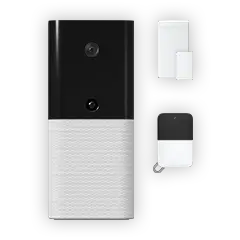
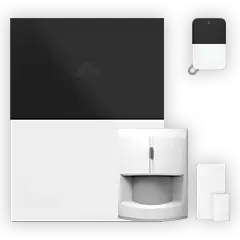
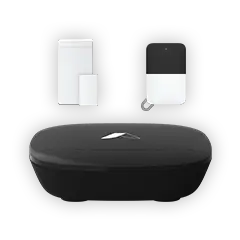
| Security hub | Abode Smart Security Kit | Central security system + HomeKit bridge | $199 |
| HomeKit hub | Apple TV 4K or HomePod Mini | Runs automations, enables remote access | $99-$129 |
| Smart lock | Schlage Encode Plus | Apple Home Key — tap to unlock | $300 |
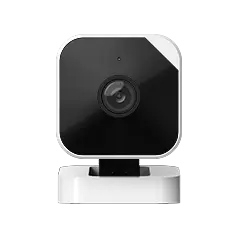
| Indoor camera | Abode Cam 2 | Camera feed in Home app | $35 |
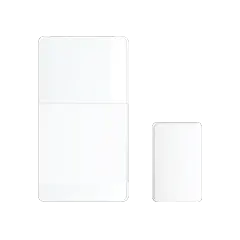
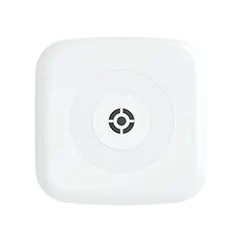
| Door/window sensors | Abode Mini Sensors (x5) | Entry point monitoring in Home app | $150 |
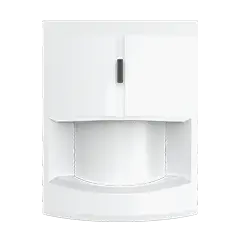
| Motion sensor | Abode Motion Sensor | Interior detection + automation trigger | $40 |
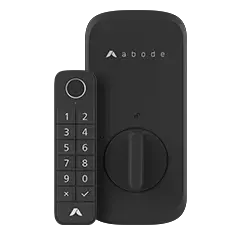
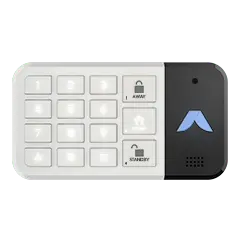
| Keypad | Abode Keypad 2 | Physical arm/disarm (guests, kids) | $60 |
Total: ~$883 one-time + $0-20/month for monitoring
For comparison, a non-HomeKit system like Ring or SimpliSafe with similar coverage runs $400-$700 for equipment plus $10-$28/month — but you lose all Apple integration, encrypted video, and Siri control.
Abode Monitoring Plans
| Plan | Price | HomeKit | Monitoring | Cellular Backup | Key Features |
|---|
| Free (Self-Monitor) | $0/mo | Yes | Self only | No | Push notifications, app control, HomeKit |
| Connect | $6/mo | Yes | Self | Yes | Cellular backup, timeline, automations |
| Connect+ | $12/mo | Yes | Self | Yes | Everything in Connect + camera cloud storage |
| Pro | $20/mo | Yes | Professional 24/7 | Yes | Police/fire dispatch, $5K equipment warranty |
No contracts on any plan. Switch or cancel anytime. HomeKit works on every plan, including the free tier.
Why Don’t Other Security Systems Support HomeKit?
This is a common question. The short answer: Apple’s requirements are strict, and most security companies don’t want to comply.
| Reason | Details |
|---|
| Apple’s security requirements | HomeKit requires end-to-end encryption, secure chip (MFi), and Apple certification — expensive to implement |
| Ecosystem lock-in | Ring wants you in Amazon’s ecosystem, Nest wants Google’s — supporting Apple means helping a competitor |
| App control | Companies want you using their app (where they control the experience and can upsell) — HomeKit lets you bypass their app entirely |
| Data access | HomeKit encryption means the company can’t mine your data — some business models depend on that data |
| Matter is coming (slowly) | The Matter standard may eventually bring more cross-platform compatibility, but security system support is limited so far |
Abode made the deliberate choice to support HomeKit because their business model is selling hardware and monitoring subscriptions — not harvesting your data.
HomeKit Security Cameras: HKSV Explained
HomeKit Secure Video (HKSV) is Apple’s encrypted camera storage system. Footage is analyzed on your Apple TV or HomePod (not in the cloud), then encrypted and stored in iCloud where only your devices can decrypt it.
| Feature | HKSV | Ring Cloud | Nest Aware |
|---|
| Encryption | End-to-end (Apple can’t see footage) | At-rest only (Ring can access) | At-rest only (Google can access) |
| Processing | On-device (Apple TV/HomePod) | Cloud | On-device + cloud |
| Storage | iCloud (doesn’t count against quota) | Ring servers | Google servers |
| History | 10 days | 30-180 days | 30-60 days |
| Cost | Included with iCloud+ ($3+/mo) | $4-20/mo | $8-15/mo |
| Police sharing | Only if you choose to share | Has shared without warrants (pre-2024) | Responds to legal requests |
HKSV-compatible cameras include Abode Cam 2, Logitech Circle View, Eve Cam, Eufy Indoor Cam 2K, and Aqara Camera Hub G3. Pair any of these with an Abode system for the most private security setup available.
Frequently Asked Questions
Can I use Abode without HomeKit?
Absolutely. Abode also works with Amazon Alexa, Google Home, Z-Wave, Zigbee, and IFTTT. HomeKit is a bonus, not a requirement. If you switch from Apple to Android later, your Abode system still works perfectly through the Abode app.
Do I need an Apple TV or HomePod for Abode + HomeKit?
For basic control (arming from your phone), no. But for HomeKit automations, remote access when away from home, and HomeKit Secure Video, you need a home hub — Apple TV 4K, HomePod, or HomePod Mini. Most Apple households already have one of these.
Does Abode’s free plan include HomeKit?
Yes. HomeKit integration works on all Abode plans, including the free tier. You can arm/disarm via Siri, see sensor status in the Home app, and run automations without paying a monthly fee.
What about Matter support?
Abode’s hub supports Matter via a firmware update, making it future-proof as more smart home devices adopt the Matter standard. This means even non-HomeKit devices that support Matter can integrate with your Abode + Apple Home setup.
Is Abode the best security system for Apple users?
For Apple-centric households, yes. No other major security system offers native HomeKit support, Siri control, Apple Watch integration, and compatibility with HomeKit Secure Video cameras. The alternatives (Ring/Alexa, Nest/Google) lock you into competing ecosystems.
Can I control Abode from my Apple Watch?
Yes. Through the Apple Home app on Apple Watch, you can check system status, arm/disarm, see sensor states, and receive real-time alerts. You can also view camera thumbnails and unlock HomeKit-compatible smart locks — all from your wrist.




 Abode Shopping for a self-monitored security system in 2026? You're not alone. More homeowners than ever are ditching expensive monthly contracts and taking security into their own hands....