UncategorizedHome Security Systems With No Monthly Fee: How They Work & What You Actually Save (2026)
 Abode February 26, 2026
 Monthly monitoring fees are the biggest hidden cost in home security. ADT charges $28-60/month. Vivint wants $30-50/month. Over 3 years, that’s $1,000-$2,100 just for monitoring — on top of equipment costs.
But here’s what most people don’t realize: you don’t need to pay monthly fees to have a real, working home security system. Modern DIY systems like Abode offer full security with a free self-monitoring plan — and optional professional monitoring at a fraction of what legacy companies charge.
This guide covers how no-monthly-fee security actually works, what you give up (and what you don’t), and the best systems for 2026.
How “No Monthly Fee” Home Security Works
Every modern security system has two costs: equipment (the hardware you buy once) and monitoring (the ongoing service). With no-fee systems, you buy the equipment and handle monitoring yourself through your phone.
| Feature | Self-Monitoring (Free) | Professional Monitoring (Paid) |
|---|
| Phone alerts | Yes — instant push notifications | Yes — plus central station alerts |
| Siren | Yes — 95-105 dB alarm | Yes |
| Live camera view | Yes | Yes |
| Arm/disarm remotely | Yes | Yes |
| Smart home control | Yes | Yes |
| Police dispatch | You call 911 yourself | Central station calls for you |
| Fire/CO response | You call 911 yourself | Automatic fire department dispatch |
| 24/7 coverage | Only when you see the alert | Yes — even when you’re sleeping or unreachable |
| Cellular backup | Varies by plan | Usually included |
| Insurance discount | Usually not (no monitoring certificate) | Yes — 5-20% off homeowner’s insurance |
| Monthly cost | $0 | $6-60/month |
The honest truth: Self-monitoring works great if you’re responsive to phone notifications. The system still detects intrusions, sounds the siren, and sends you alerts. The difference is that no one calls the police for you — you’re the monitoring center.
Abode’s Free Plan: What You Actually Get
Abode is one of the few security systems that offers a genuinely useful free tier — not a stripped-down demo, but a real self-monitoring system.
| Feature | Free Plan | Connect ($6/mo) | Connect+ ($12/mo) | Pro ($20/mo) |
|---|
| Self-monitoring | Yes | Yes | Yes | Yes |
| Push notifications | Yes | Yes | Yes | Yes |
| Siren | Yes | Yes | Yes | Yes |
| Arm/disarm app | Yes | Yes | Yes | Yes |
| Smart home (Z-Wave/Zigbee) | Yes | Yes | Yes | Yes |
| Apple HomeKit | Yes | Yes | Yes | Yes |
| Geofencing | No | Yes | Yes | Yes |
| Timeline & history | 3 days | 14 days | 90 days | 90 days |
| CUE automations | Basic | Full | Full | Full |
| Cellular backup | No | No | Yes | Yes |
| Professional monitoring | No | No | No | Yes |
Even on the completely free plan, you get push notifications, siren, app control, smart home integration, and Apple HomeKit support. That’s more functionality than many competitors offer on their paid plans.
3-Year Cost Comparison: Free vs Paid
Here’s what you’ll actually spend over 3 years with different approaches:
| System | Equipment | Monthly Fee | 3-Year Total |
|---|
| Abode (Free plan) | $199 (Smart Security Kit) | $0 | $199 |
| Abode (Connect) | $199 | $6 | $415 |
| Abode (Connect+) | $199 | $12 | $631 |
| Abode (Pro) | $199 | $20 | $919 |
| Ring Alarm (Self-monitor) | $199 | $0 | $199 |
| Ring Alarm (Plus) | $199 | $10 | $559 |
| SimpliSafe (Self-monitor) | $199 | $0 | $199 |
| SimpliSafe (Interactive) | $199 | $27.99 | $1,207 |
| ADT (Self Setup) | $0 | $6-28.99 | $216-1,044 |
| ADT (Pro Install) | $0-200 | $28.99-59.99 | $1,044-2,360 |
| Vivint | $0 (financed) | $29.99-49.99 | $1,080-1,800 |
The Abode advantage: At $199 total with the free plan, Abode costs less over 3 years than ONE year of ADT’s professional monitoring. And when you’re ready for more features, you can upgrade to Connect ($6/mo) or Pro ($20/mo) — still far cheaper than legacy providers.
What You Actually Need vs What Companies Upsell
Security companies love to upsell features you may not need. Here’s an honest breakdown:
| Feature | Do You Need It? | Free Alternative |
|---|
| Professional monitoring | Nice to have — essential if you travel often or sleep through phone alerts | Self-monitor via phone; share app access with a trusted contact |
| Cellular backup | Important if your Wi-Fi is unreliable or you worry about line-cutting | Mesh Wi-Fi with battery backup provides similar reliability |
| Video recording | Helpful for evidence after an event | SD card storage (Abode Cam 2 supports local recording) |
| 24/7 fire monitoring | Yes, if you have a family — fires happen when you’re asleep | Standalone smart smoke detectors (Nest Protect) + phone alerts |
| Video verification | Reduces false alarm fines in cities that charge | Check camera yourself before calling 911 |
The Insurance Discount Question
One common argument for professional monitoring: homeowner’s insurance discounts. Many insurers offer 5-20% off for monitored security systems.
Let’s do the math:
| Scenario | Insurance Savings/Year | Monitoring Cost/Year | Net Savings |
|---|
| Abode Pro ($20/mo) | $175-$350 | $240 | -$65 to +$110 |
| ADT ($45/mo) | $175-$350 | $540 | -$365 to -$190 |
| Vivint ($40/mo) | $175-$350 | $480 | -$305 to -$130 |
The verdict: At Abode’s $20/month Pro plan, the insurance discount can actually pay for most or all of your monitoring. At ADT/Vivint prices, you’ll spend more on monitoring than you save on insurance.
5 Tips for Self-Monitoring Success
- Enable lock-screen notifications — Security alerts should bypass Do Not Disturb mode. On iPhone: Settings > Notifications > Abode > Time Sensitive Notifications.
- Share app access — Give a spouse, roommate, or trusted neighbor access to the Abode app so someone is always watching.
- Set up automations — Use Abode’s CUE automations or Apple HomeKit to auto-arm when everyone leaves (geofencing).
- Add a loud siren — The built-in siren is effective, but an extra external siren adds deterrence.
- Consider upgrading for travel — Going on vacation for a week? Upgrade to Abode Pro ($20/mo) for professional monitoring, then downgrade when you’re back. No contracts means you can flex.
When You Should Pay for Monitoring
Self-monitoring isn’t for everyone. Consider paying for professional monitoring if:
- You travel frequently — away from home with unreliable phone access
- You have young children — fire/CO monitoring can save lives when everyone is sleeping
- You’re a deep sleeper — phone alerts are useless if you sleep through them
- Your city charges false alarm fines — video verification reduces false dispatches
- Insurance discount makes it free — if your savings exceed Abode’s $20/month Pro cost, it’s a no-brainer
The beauty of Abode’s plan structure is that you can start free and upgrade anytime — no contracts, no commitments. Try self-monitoring first. If you find yourself wanting professional backup, add it for $20/month.
Getting Started: The $199 Security System
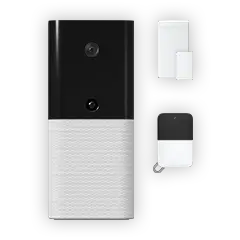
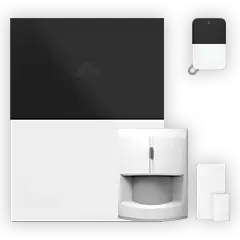
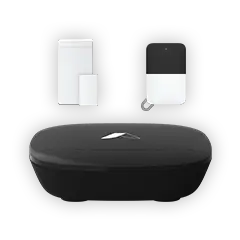
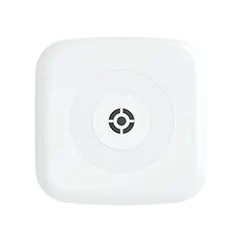
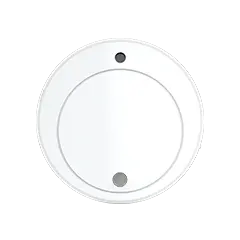
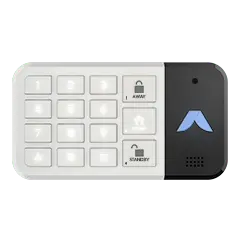
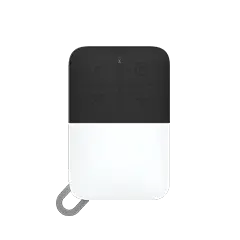
The Abode Smart Security Kit ($199) includes everything you need:
- Gateway hub — Z-Wave, Zigbee, Wi-Fi, Bluetooth
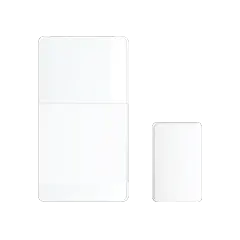
- Mini door/window sensor — covers the main entry point
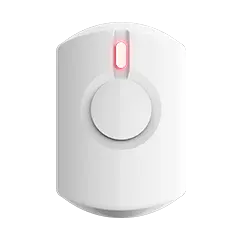
- Key fob — quick arm/disarm without the app
- Built-in siren — 95 dB alarm
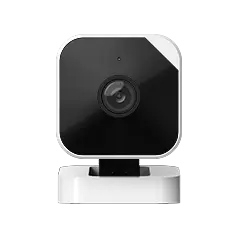
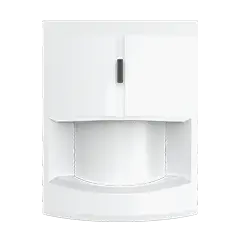
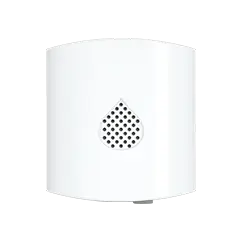
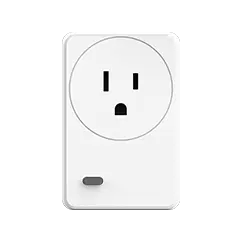
Add sensors as needed: Mini sensors for more doors/windows, motion sensor for room coverage, Abode Cam 2 ($35) for video. Total setup for a 2-bedroom home: under $350 with zero monthly fees.
Works with Apple HomeKit, Google Home, Amazon Alexa, Z-Wave, and Zigbee devices — the widest smart home compatibility of any security system.
Shop the Smart Security Kit →





 Abode Shopping for a self-monitored security system in 2026? You're not alone. More homeowners than ever are ditching expensive monthly contracts and taking security into their own hands....