Geofencing Home Security 2026: How Your Phone Automatically Arms Your Alarm (Setup Guide)
 Abode March 02, 2026
 You lock your front door every time you leave. But do you remember to arm your security system? If you’re like most people, the answer is “sometimes” — and that gap is exactly what burglars exploit.
Geofencing eliminates that gap entirely. It uses your phone’s location to automatically arm your system when you leave and disarm when you arrive. No buttons, no codes, no forgetting. Here’s how it works and why Abode’s implementation is the best in the industry.
What Is Geofencing in Home Security?
Geofencing creates an invisible boundary around your home (typically 500–1,500 feet). When your phone crosses that boundary:
- Leaving home: System automatically arms (Away mode)
- Arriving home: System automatically disarms or switches to Home mode
It’s the single most impactful automation you can add to a security system. According to industry data, over 40% of security system owners forget to arm their system regularly. Geofencing makes that impossible.
How Abode’s Geofencing Works
Abode uses CUE Automations — a powerful rules engine that goes far beyond basic arm/disarm:
| Trigger | Action | Example |
|---|
| Last person leaves | Arm Away mode | System arms when both you and your partner leave |
| First person arrives | Switch to Home mode | System disarms sensors when anyone gets home |
| Everyone leaves | Turn off lights, lock doors, arm system | Complete “leaving home” routine |
| You arrive | Unlock door, turn on lights, disarm alarm | Complete “welcome home” routine |
| Time + location | Custom schedule | If no one home by 11pm, arm and send alert |
The key difference: Abode tracks multiple phones. Most competing systems only track one user, which means the system disarms when one person leaves if the other is still home. Abode’s “last person leaves / first person arrives” logic handles families correctly.
Geofencing vs Other Arming Methods
| Method | Reliability | Convenience | Best For |
|---|
| Geofencing (auto) | ⭐⭐⭐⭐⭐ | ⭐⭐⭐⭐⭐ | Daily use — never forget |
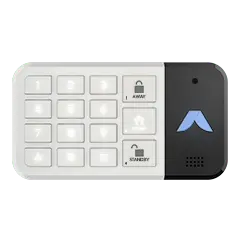
| Keypad code | ⭐⭐⭐⭐⭐ | ⭐⭐⭐ | Backup method, guests |
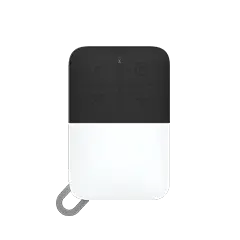
| Key fob | ⭐⭐⭐⭐ | ⭐⭐⭐⭐ | Quick arm from car |
| App (manual) | ⭐⭐⭐⭐ | ⭐⭐⭐ | Remote arm/disarm |
| Schedule | ⭐⭐⭐ | ⭐⭐⭐⭐ | Predictable routines only |
| Voice (Alexa/Siri) | ⭐⭐⭐ | ⭐⭐⭐⭐ | Hands-free at home |
Geofencing wins on both reliability and convenience because it requires zero effort. You just… leave. The system handles the rest.
Which Security Systems Have Geofencing?
| System | Geofencing | Multi-User | Custom Automations | Plan Required |
|---|
| Abode | ✅ | ✅ Last/first logic | ✅ CUE engine | Connect ($6/mo) or higher |
| Ring | ✅ | ⚠️ Basic | Limited | Ring Protect Plus ($20/mo) |
| SimpliSafe | ✅ | ⚠️ Basic | Limited | Interactive ($27.99/mo) |
| Vivint | ✅ | ✅ | ✅ | Premium ($45/mo) |
| ADT | ⚠️ Limited | ❌ | Limited | All plans |
Abode’s advantage: Full geofencing starts at just $6/month (Connect plan). Competitors either charge $20–$45/month or offer limited functionality. And only Abode has the CUE automation engine for custom location-based rules.
Setting Up Geofencing on Abode
Setup takes about 2 minutes:
- Open the Abode app → Settings → CUE Automations
- Create new automation: “When I leave home”
- Set trigger: Location → Everyone leaves geofence
- Set action: Set mode → Away
- Repeat for arriving: “When I arrive home” → Set mode → Home
- Add family members: Each person installs the Abode app and joins your system
Pro tip: Set your geofence radius to at least 750 feet. Too small and GPS drift causes false triggers. Too large and the system arms/disarms too early.
5 Advanced Geofencing Automations
Once you have basic arm/disarm working, try these CUE recipes:
| Automation | Trigger | Actions |
|---|
| Goodnight routine | Time (11pm) + everyone home | Lock doors, arm Home mode, dim lights |
| Vacation mode | Everyone leaves + duration > 24h | Arm Away, enable all cameras, random light schedule |
| Kid arrives home | Specific user arrives | Send notification to parents, disarm, turn on lights |
| Forgot to arm | No one home for 30 min + system not armed | Auto-arm + send reminder notification |
| Guest mode | Manual trigger via app | Disable motion sensors, keep door/window sensors active |
Geofencing + Insurance Discounts
Many insurance providers offer 5–20% discounts for monitored security systems. Geofencing increases your chances of qualifying because it proves your system is consistently armed — insurers care about active use, not just having equipment installed.
With Abode’s Connect plan at $6/month ($72/year), the insurance discount alone often covers the cost of the plan. A 10% discount on a $1,500/year homeowner’s policy saves $150 — more than double the plan cost.
Common Geofencing Questions
Does geofencing drain my phone battery?
Modern geofencing uses your phone’s low-power location services (not GPS). Impact is minimal — typically less than 2% additional battery drain per day. Abode uses iOS significant location changes and Android’s geofencing API, which are optimized for efficiency.
What if my phone dies while I’m out?
The system stays in whatever mode it was in. If it armed when you left (phone alive), it stays armed even if your phone dies. You can always use the keypad to disarm when you get home.
Can guests trigger geofencing?
Only phones with the Abode app and added to your system affect geofencing. Guests don’t trigger it — give them a keypad code or use the key fob instead.
Does it work with Apple HomeKit?
Yes. Abode is the only security system with native HomeKit integration, so geofencing works with both the Abode app and Apple Home app. You can even trigger HomeKit scenes based on Abode’s security mode.
What if I work from home?
Set up a “Home” mode that keeps door/window sensors active but disables interior motion sensors. Geofencing switches to Away (all sensors) only when everyone actually leaves.
Is geofencing reliable?
Very reliable with proper setup. Set your fence radius to 750+ feet, keep location services enabled, and ensure the Abode app has “Always” location permission. False triggers are rare with modern GPS accuracy.
Get Started
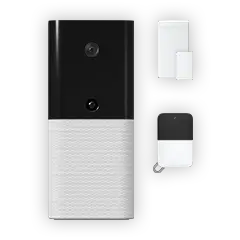
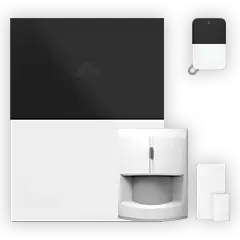
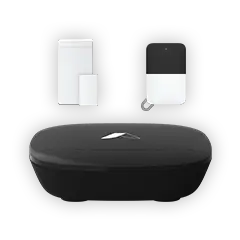
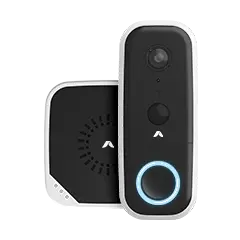
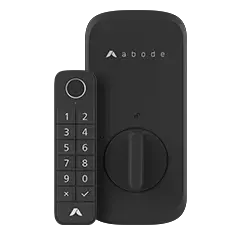
Geofencing is available on Abode’s Connect plan ($6/month) and above. Pair it with the Smart Security Kit for a complete system that arms itself, monitors your doors and windows, and alerts you instantly if anything happens — all without you lifting a finger.
Stop relying on memory. Let your phone handle security automatically.


 Abode Most homeowners don't realize their security system qualifies them for an insurance discount. Depending on your provider, a monitored alarm system can knock 5% to 20% off your annual...